3.29 Super 4xMipi CSI
[!IMPORTANT] This page is intended for the Seeed
reComputer Supercarrier-board family, such asreComputer Super J4011. The CSI connector count, camera orientation, and supported sensor overlays are specific to the Super family.
#Introduction
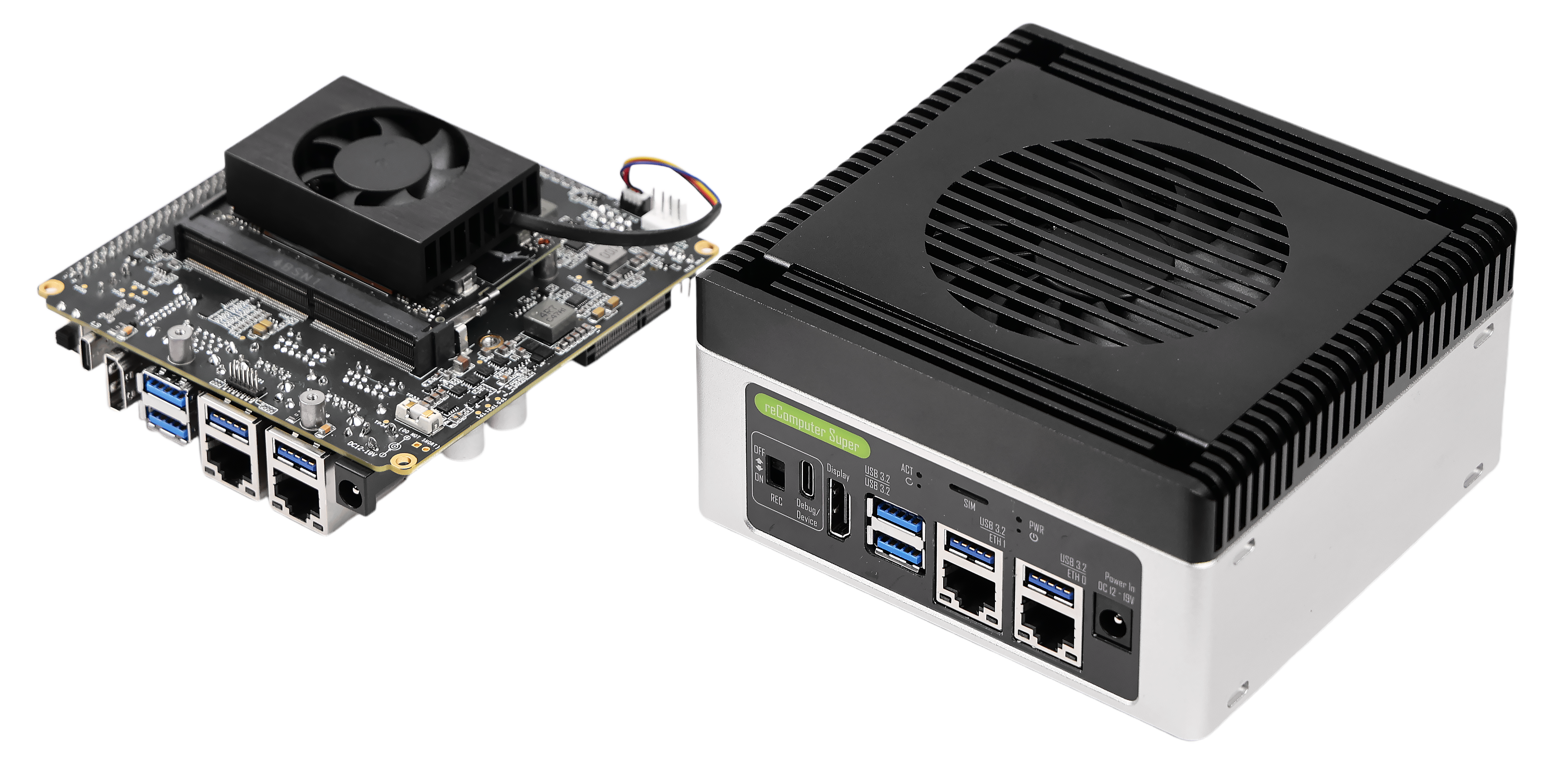
The reComputer Super features 4x MIPI CSI (Camera Serial Interface) ports, allowing you to connect up to 4 CSI cameras simultaneously. This makes it ideal for multi-camera applications such as 360-degree vision, stereo vision, and multi-angle object tracking.
#Hardware Requirements
- reComputer Super with JetPack 6.2 installed
- Compatible MIPI CSI cameras (up to 4)
- CSI ribbon cables
#Hardware Connection
#Step 1: Power off the Device
Before connecting or disconnecting CSI cameras, ensure the reComputer Super is powered off to avoid damage.
#Step 2: Open the Back Cover
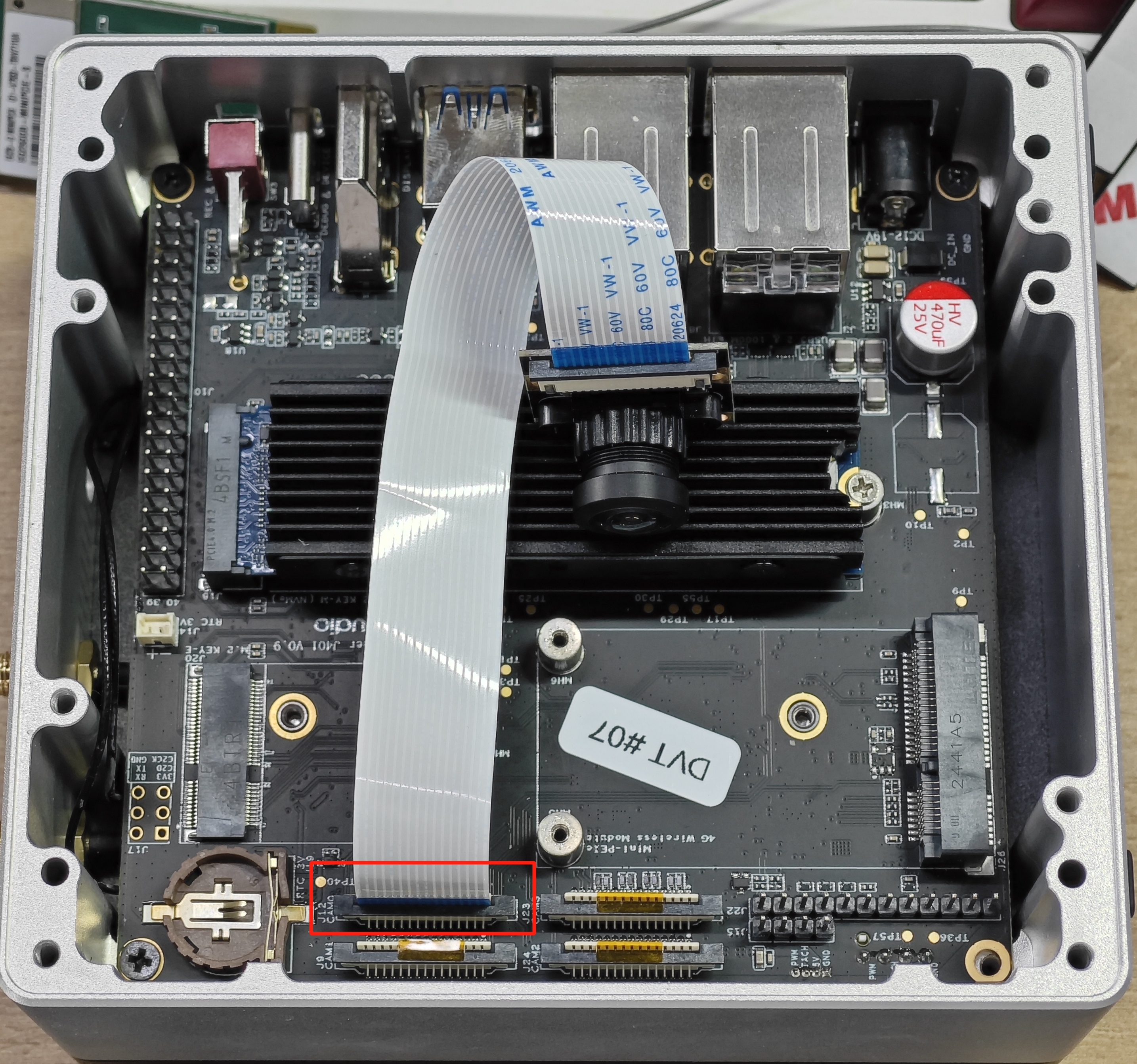
Open the back cover of the reComputer Super to access the CSI ports.
#Step 3: Connect the Cameras
Connect the MIPI CSI cameras to the appropriate CSI ports on the reComputer Super board. Ensure the connections are firm and properly seated.
#Step 4: Secure the Cameras
Secure the cameras and ensure all connections are properly tightened.
#Enable the CSI Cameras
#Step 1: Check Camera Recognition
After powering on the device, open a terminal and check if the cameras are recognized:
ls /dev/video*#Step 2: Install Video Utilities (if needed)
If not already present, install video utilities:
sudo apt install v4l-utils#Preview the Cameras
#Preview a Single Camera
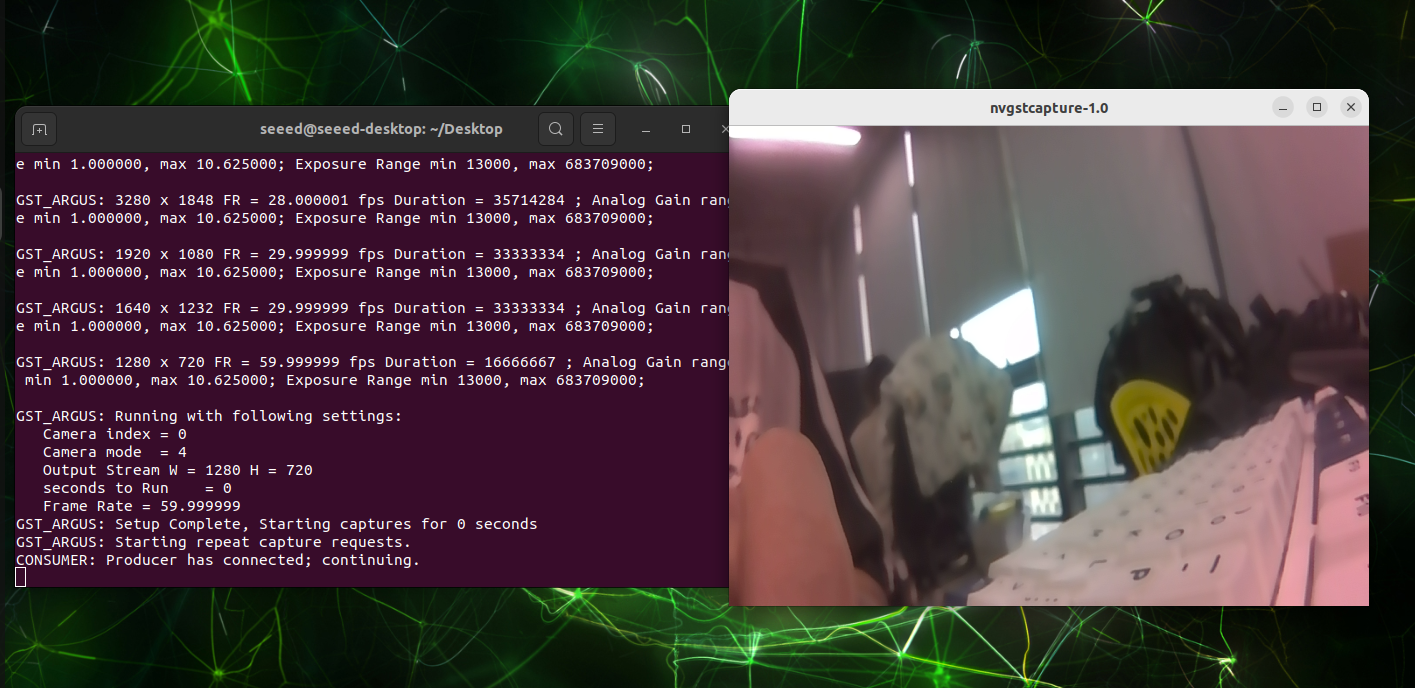
Use nvgstcapture-1.0 to preview the CSI stream from a specific camera:
nvgstcapture-1.0 --sensor-id=0#Preview Multiple Cameras
To preview a different camera, change the --sensor-id parameter:
nvgstcapture-1.0 --sensor-id=1  # For the second camera
nvgstcapture-1.0 --sensor-id=2  # For the third camera
nvgstcapture-1.0 --sensor-id=3 # For the fourth camera#Common Preview Options
#Specify Resolution
You can specify a custom preview resolution:
nvgstcapture-1.0 --sensor-id=0 --cus-prev-res=1280x720#Capture Images
To capture an image, press the c key while in the preview window.
#Record Video
To start recording video, press the r key while in the preview window.
#Multi-Camera Applications
The reComputer Super's 4x CSI ports enable a variety of multi-camera applications:
- 360-degree vision: Use four cameras to capture a complete view of the surroundings
- Stereo vision: Use two cameras for depth perception and 3D reconstruction
- Multi-angle object tracking: Track objects from multiple perspectives
- Simultaneous surveillance: Monitor multiple areas at once
#Troubleshooting
#Camera Not Recognized
- Ensure the camera is properly connected
- Check that the camera driver is installed
- Verify that the camera is compatible with JetPack 6.2
#Poor Image Quality
- Ensure the camera lens is clean
- Adjust the camera focus if necessary
- Check for proper lighting conditions