I2C 通信
最終更新:
はじめに
I2Cは、クロックとデータにSCLとSDAを使用する2線式通信バスです。ディスプレイ、センサー、EEPROM、その他の低速ペリフェラルに広く使用されています。
ハードウェア要件
- J401ベースのJetsonデバイス
- Grove OLEDディスプレイ
- 互換性のあるアダプター基板またはシールド
- Groveケーブル
ハードウェア接続
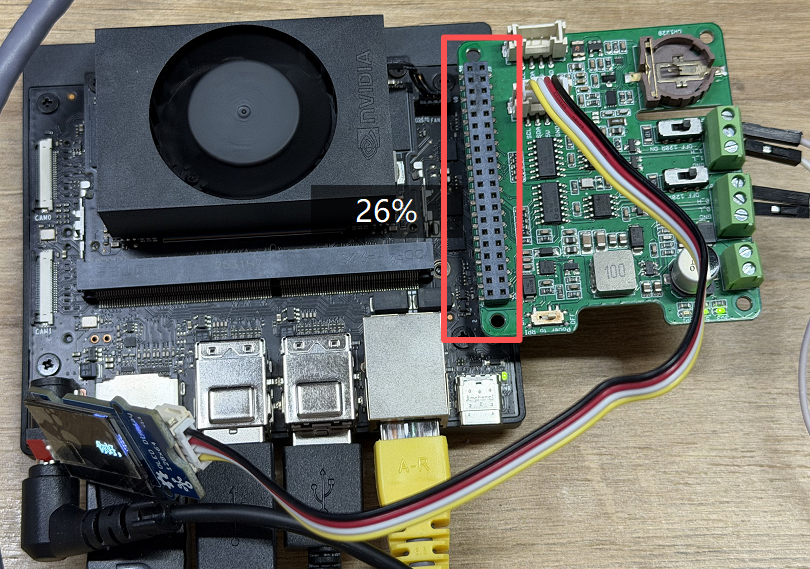
アクセサリーを以下のように40ピンヘッダーまたは対応するアダプター基板に接続します。
依存関係のインストール
bash
sudo apt update
sudo apt install python3-pil python3-dev fonts-noto-cjk
pip3 install luma.oled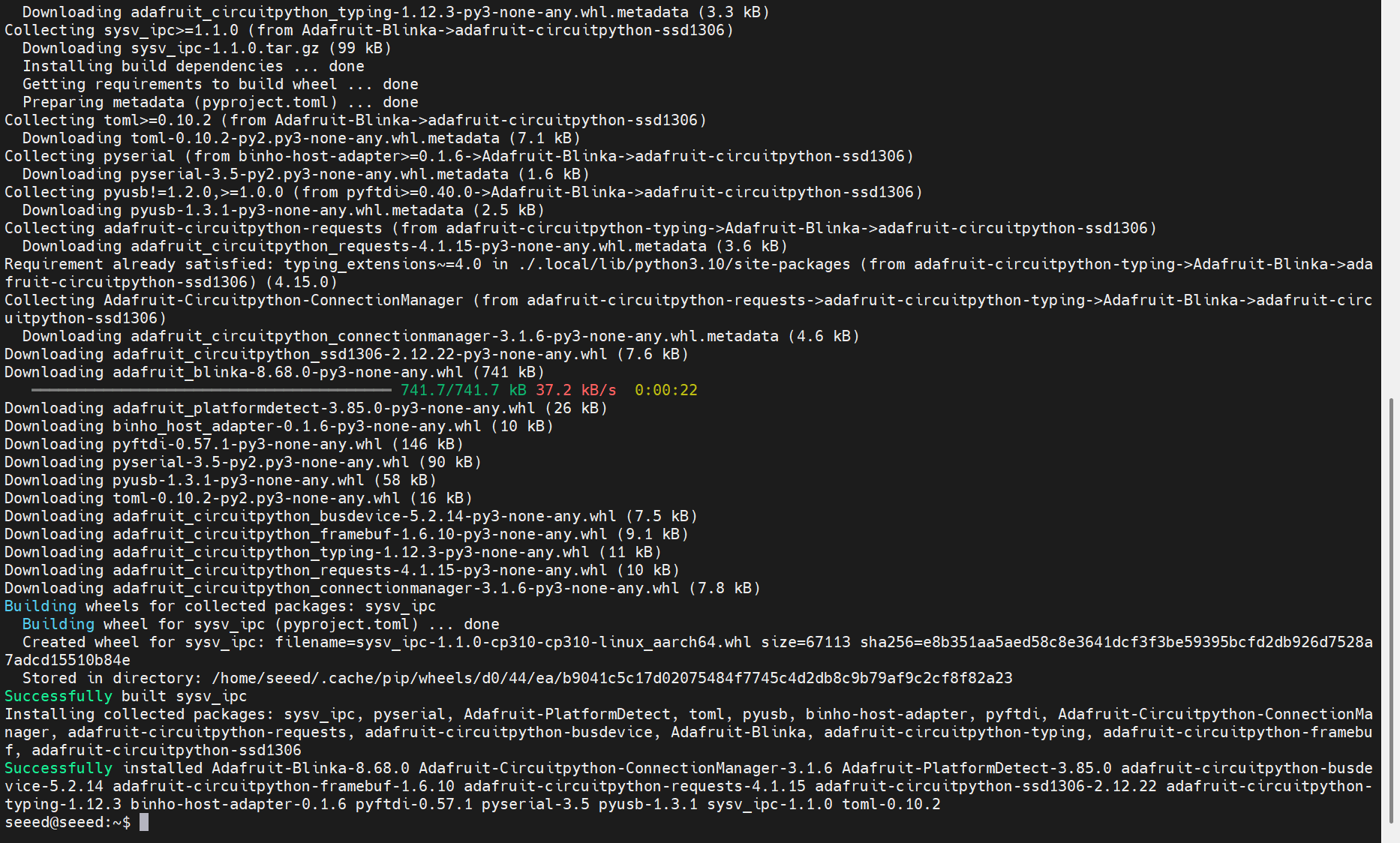
I2Cバスのスキャン
i2cdetectを使用して、ペリフェラルがバス上で認識されていることを確認します:
bash
sudo i2cdetect -y -r 7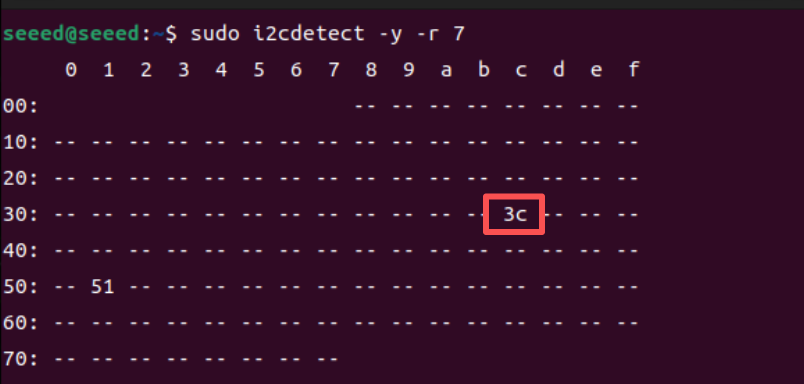
ディスプレイが正常に検出された場合、スキャン結果にそのデバイスアドレス(0x3cなど)が表示されます。
テストスクリプトの例
スクリプトを作成します:
bash
nano test_i2c.py以下の例を貼り付けます:
python
import time
from luma.core.interface.serial import i2c
from luma.oled.device import ssd1306
from PIL import Image, ImageDraw, ImageFont

I2C_BUS = 7
I2C_ADDR = 0x3C
serial = i2c(port=I2C_BUS, address=I2C_ADDR)
device = ssd1306(serial)
device.clear()

FONT_PATH = "/usr/share/fonts/opentype/noto/NotoSansCJK-Regular.ttc"
font = ImageFont.truetype(FONT_PATH, 16)

text = "Jetson I2C test scrolling text    "
bbox = font.getbbox(text)
text_width = bbox[2] - bbox[0]
text_height = bbox[3] - bbox[1]
scroll_pos = device.width

while True:
    img = Image.new("1", (device.width, device.height))
    draw = ImageDraw.Draw(img)
    draw.text((scroll_pos, (device.height - text_height) // 2), text, font=font, fill=255)
    device.display(img)
    scroll_pos -= 2
    if scroll_pos + text_width < 0:
        scroll_pos = device.width
    time.sleep(0.05)
スクリプトを実行します:
bash
python3 test_i2c.py