9.1 Isaac ROS Environment and Setup
#Isaac ROS Environment
Note: Some Seeed Jetson images may already include a prepared Isaac ROS environment, so you may not need to rebuild everything from scratch.
Run the following command on the Jetson device to confirm whether Isaac ROS is already available:
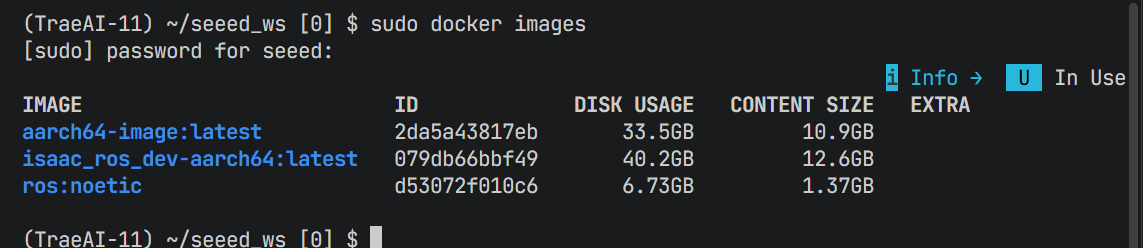
sudo docker images#Isaac ROS Overview
Isaac ROS is NVIDIA's ROS 2 software stack for accelerated robotics on Jetson. It packages GPU-accelerated perception, stereo depth, segmentation, pose estimation, SLAM, and related workflows behind standard ROS interfaces so the stack can be integrated into familiar robotic pipelines.
System requirements
| Item | Requirement |
|---|---|
| Jetson software stack | JetPack 6.2 on Jetson |
| ROS distribution | ROS 2 Humble |
| Container runtime | Docker with the buildx plugin |
| Storage | Enough free space for development images, models, and rosbag assets; SSD/NVMe is recommended |
| NVIDIA services | An NGC account and API key for authenticated container and asset downloads |
| Power mode | MAXN SUPER recommended during setup and benchmarking |
#ROS Compatibility
Isaac ROS Release 3.2 is designed around ROS 2 Humble on Jetson.
If your wider project still includes ROS 1 Noetic components, you can bridge selected workflows with Isaac ROS NITROS Bridge, but the setup in this chapter focuses on ROS 2.
Note: Some Isaac ROS images and assets require authenticated access through NVIDIA NGC.
#Quick Install
-
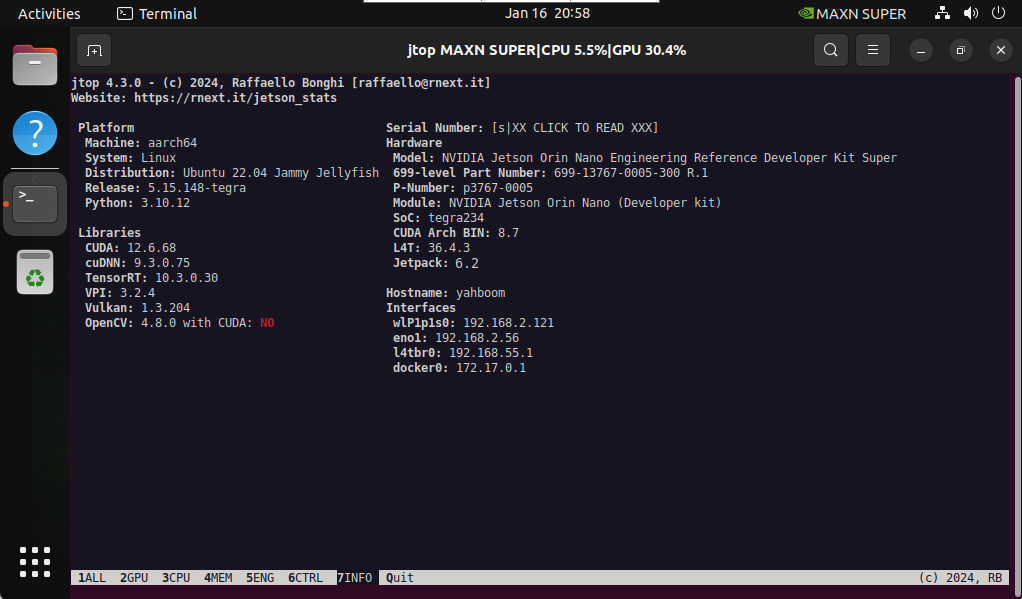
Confirm that the device is running JetPack 6.2 and that the power mode is set to
MAXN SUPER. -
Install Docker
Docker setup reference: Module 3.7 Docker
Add Docker's official GPG key:
sudo apt-get update
sudo apt-get install ca-certificates curl gnupg
sudo install -m 0755 -d /etc/apt/keyrings
curl -fsSL https://download.docker.com/linux/ubuntu/gpg | sudo gpg --dearmor -o /etc/apt/keyrings/docker.gpg
sudo chmod a+r /etc/apt/keyrings/docker.gpg
Add the Docker repository to APT sources:
echo \
"deb [arch="$(dpkg --print-architecture)" signed-by=/etc/apt/keyrings/docker.gpg] https://download.docker.com/linux/ubuntu \
"$(. /etc/os-release && echo "$VERSION_CODENAME")" stable" | \
sudo tee /etc/apt/sources.list.d/docker.list > /dev/null
sudo apt-get update

sudo apt install docker-buildx-plugin- Add docker user group
sudo usermod -aG docker $USER
newgrp docker- Add the public NVIDIA Jetson APT repository
sudo apt-get update
sudo apt-get install software-properties-common
sudo apt-key adv --fetch-key https://repo.download.nvidia.com/jetson/jetson-ota-public.asc
sudo add-apt-repository 'deb https://repo.download.nvidia.com/jetson/common r36.4 main'
sudo apt-get update
sudo apt-get install -y pva-allow-2- Prepare the workspace and clone
isaac_ros_common.
cd ${ISAAC_ROS_WS}/src && \
git clone -b release-3.2 https://github.com/NVIDIA-ISAAC-ROS/isaac_ros_common.git isaac_ros_common- Start the Isaac ROS development container with
run_dev.sh:
cd ${ISAAC_ROS_WS}/src/isaac_ros_common && ./scripts/run_dev.shWait for the container image to finish downloading and for the development environment to start.
Isaac ROS development images often require NVIDIA NGC authentication.
Use your NGC API key, not a GitHub token:
docker login nvcr.io- Username:
$oauthtoken - Password: your NGC API key