3.22 Wi-Fi Adapter
[!IMPORTANT] This page is intended for the Seeed
reComputer J401carrier-board family, such asreComputer J4012. Wi-Fi card compatibility, antenna layout, and internal hardware structure may differ on other Jetson devices and carrier boards.
#Introduction
The Wi-Fi adapter provides wireless networking and Bluetooth connectivity for the Jetson platform. On a J401-based system, it is commonly used for internet access, package downloads, SSH or VNC remote control, and short-range wireless communication with nearby devices.
#Hardware Installation
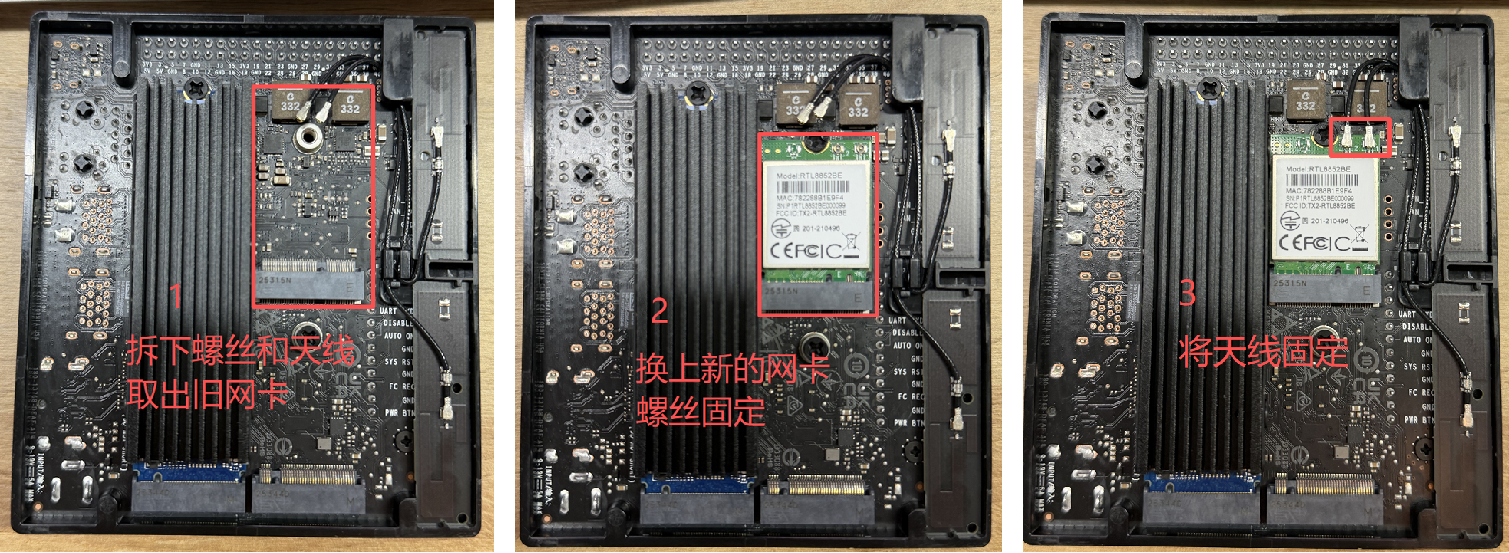
The J401-based kit supports a replaceable wireless card. If you need to replace the preinstalled module, power off the device first and then follow the basic replacement flow shown below.
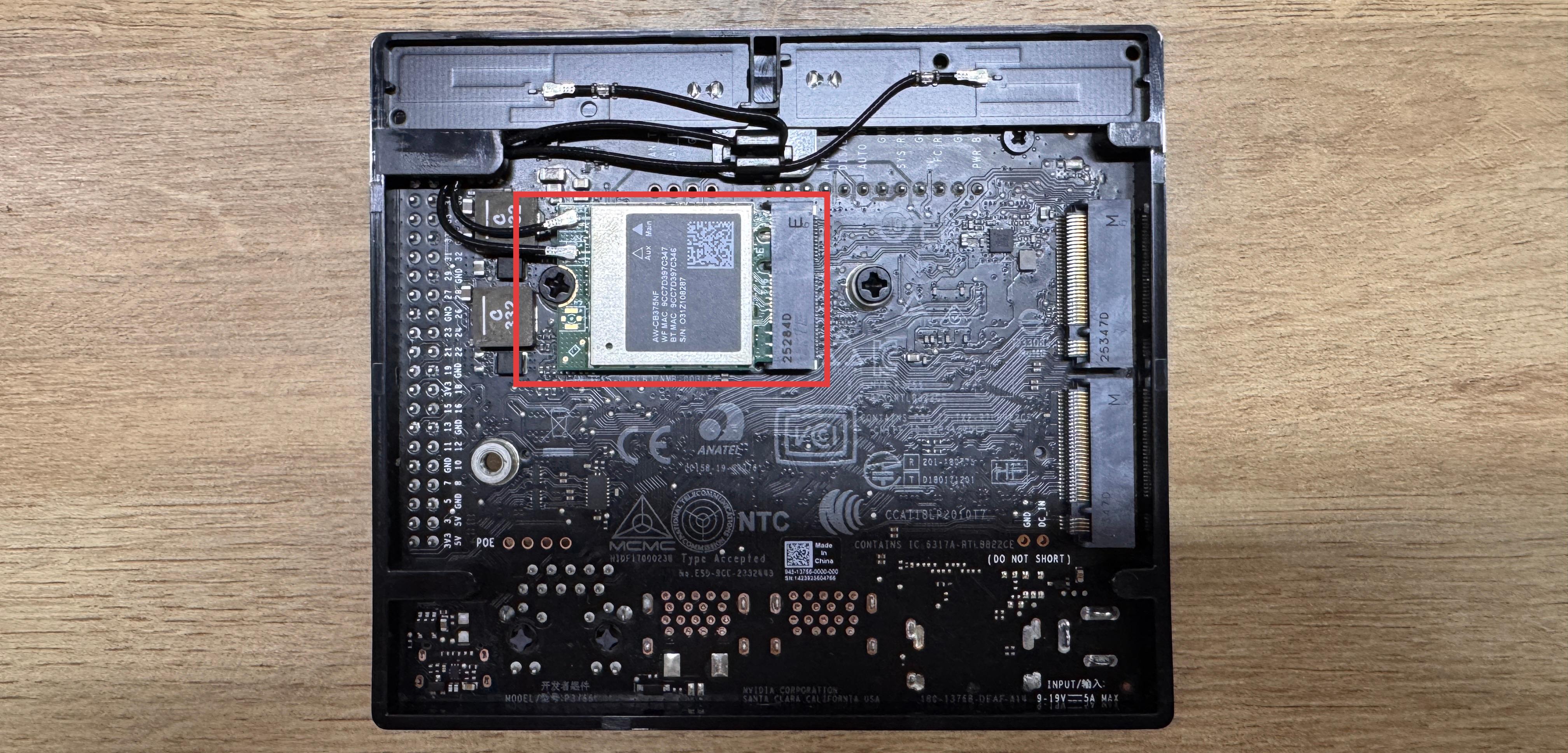
- Remove the antennas.
- Unscrew the existing Wi-Fi module and remove it from the slot.
- Insert the new module, secure it with the screw, and reconnect the antennas.
Note: Different wireless cards may require different Linux drivers. Always install the driver package recommended by the card vendor if the module is not recognized automatically.
#Usage Notes
After the card is installed, configure the network from the operating system as usual. If you need help connecting to a wireless network from the terminal, refer to 3.12 Network and Wi-Fi.