Train and Deploy Your Own Vision Model
Last updated:
Introduction
YOLO26 is the latest generation of the YOLO family, designed for real-time, edge-ready vision AI. It is built to be faster, lighter, and easier to deploy, while still delivering strong accuracy for tasks such as object detection, segmentation, classification, and pose estimation. Compared with earlier YOLO models, YOLO26 places a stronger focus on efficient deployment and end-to-end inference, which makes it especially suitable for edge devices and practical applications.
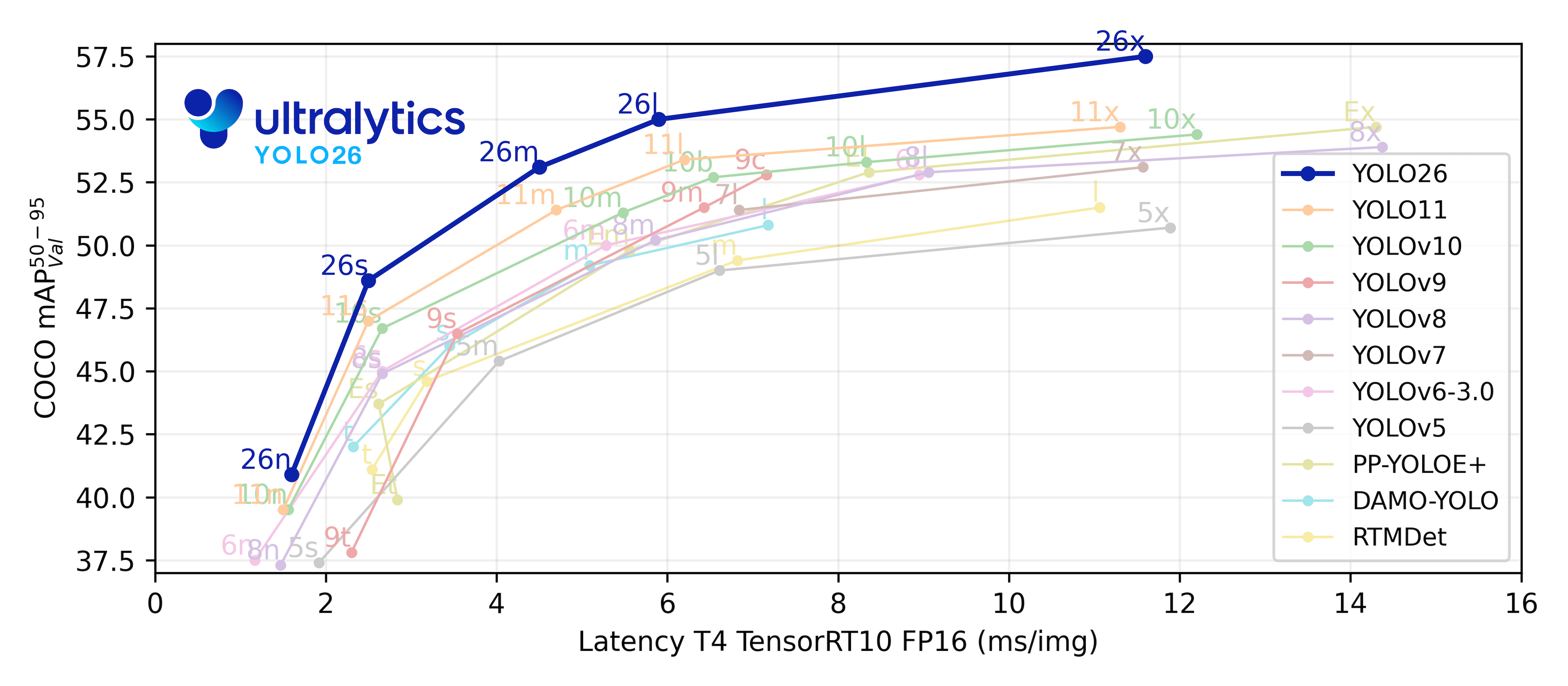
In this chapter, we will introduce how to quickly train and deploy your own advanced detection model on reComputer, so you can move from data to a working real-world AI application with an efficient and modern workflow.
Quick experience
Step 1: Define the Task Clearly
A strong project begins with a clear question.
Examples:
- detect helmets and persons
- detect occupied parking spaces
- detect pallets and forklifts
For the convenience of demonstration, we have provided a script that can assist us in completing the process from data collection to model deployment.
Prerequisites: Install the required dependencies:
bashpip install ultralytics opencv-python pillow pyyaml
🚀Just give it a try and run it yourself!
cd 4-Computer-Vision/4.6-Train-and-Deploy-Your-Own-Vision-Model/code
python yolo_end_to_end.py
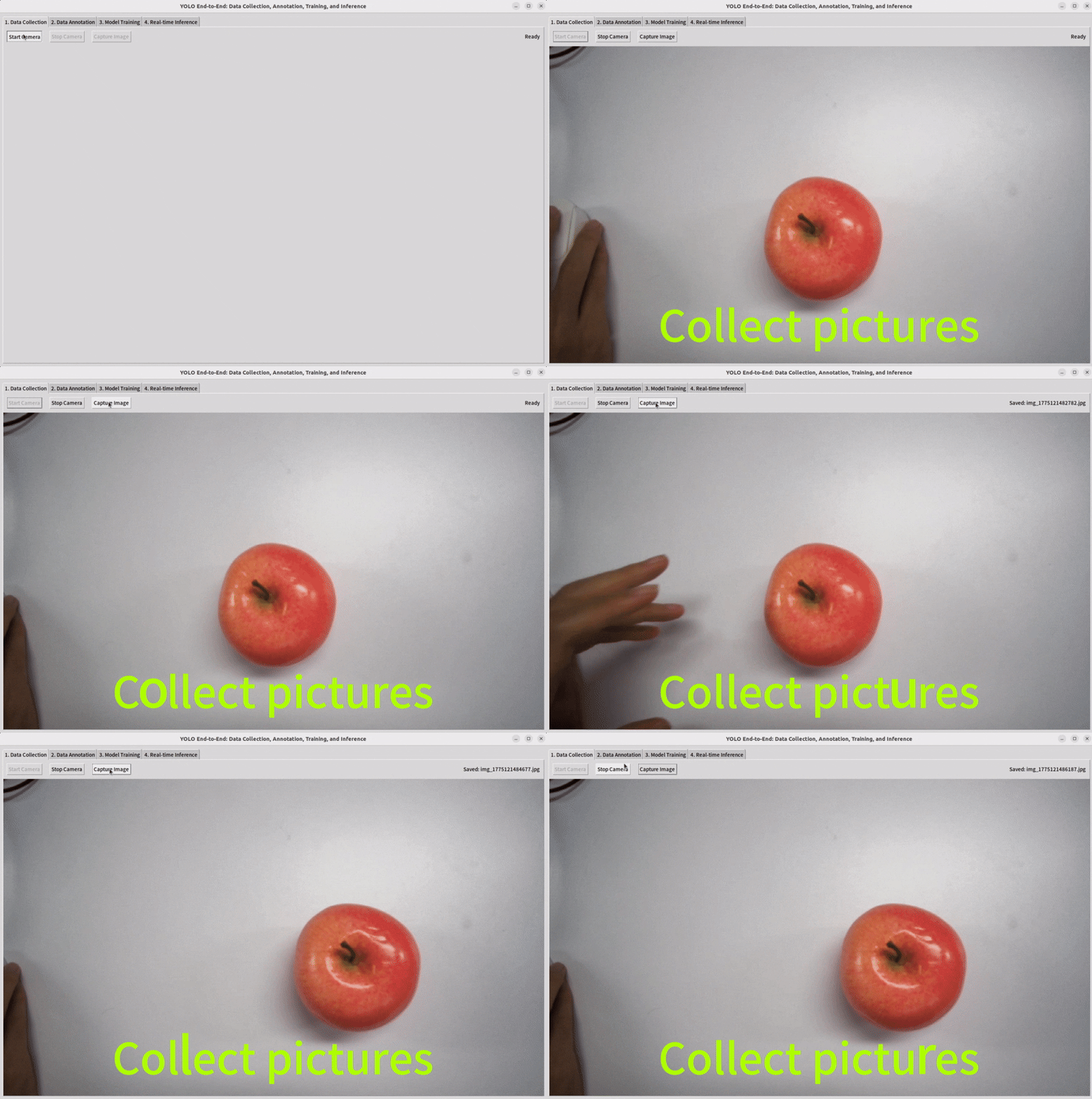
Step 2: Collect Data
Connect a camera to your device, select the target you want to detect, and collect the appropriate dataset images.
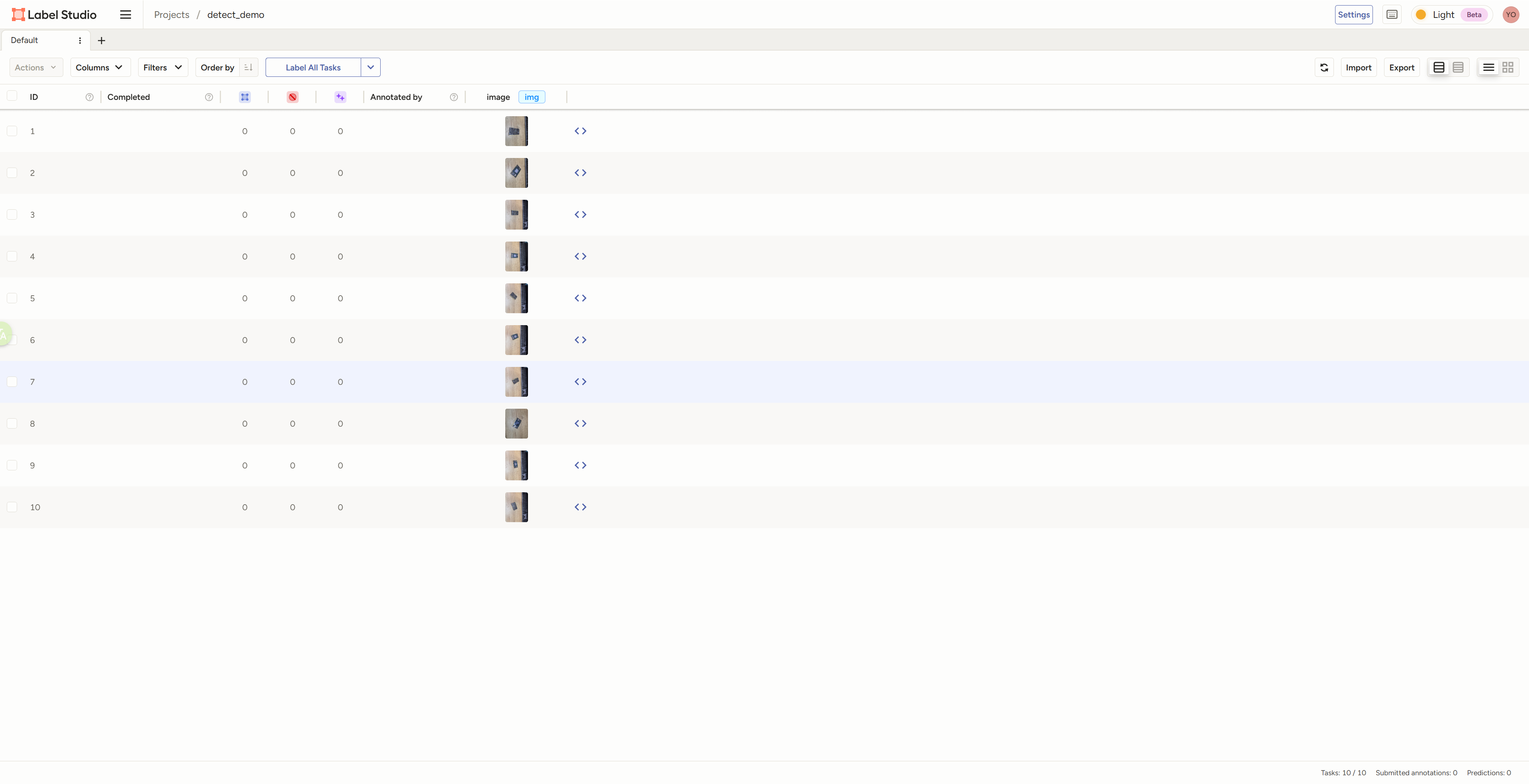
Step 3: Annotate the Data
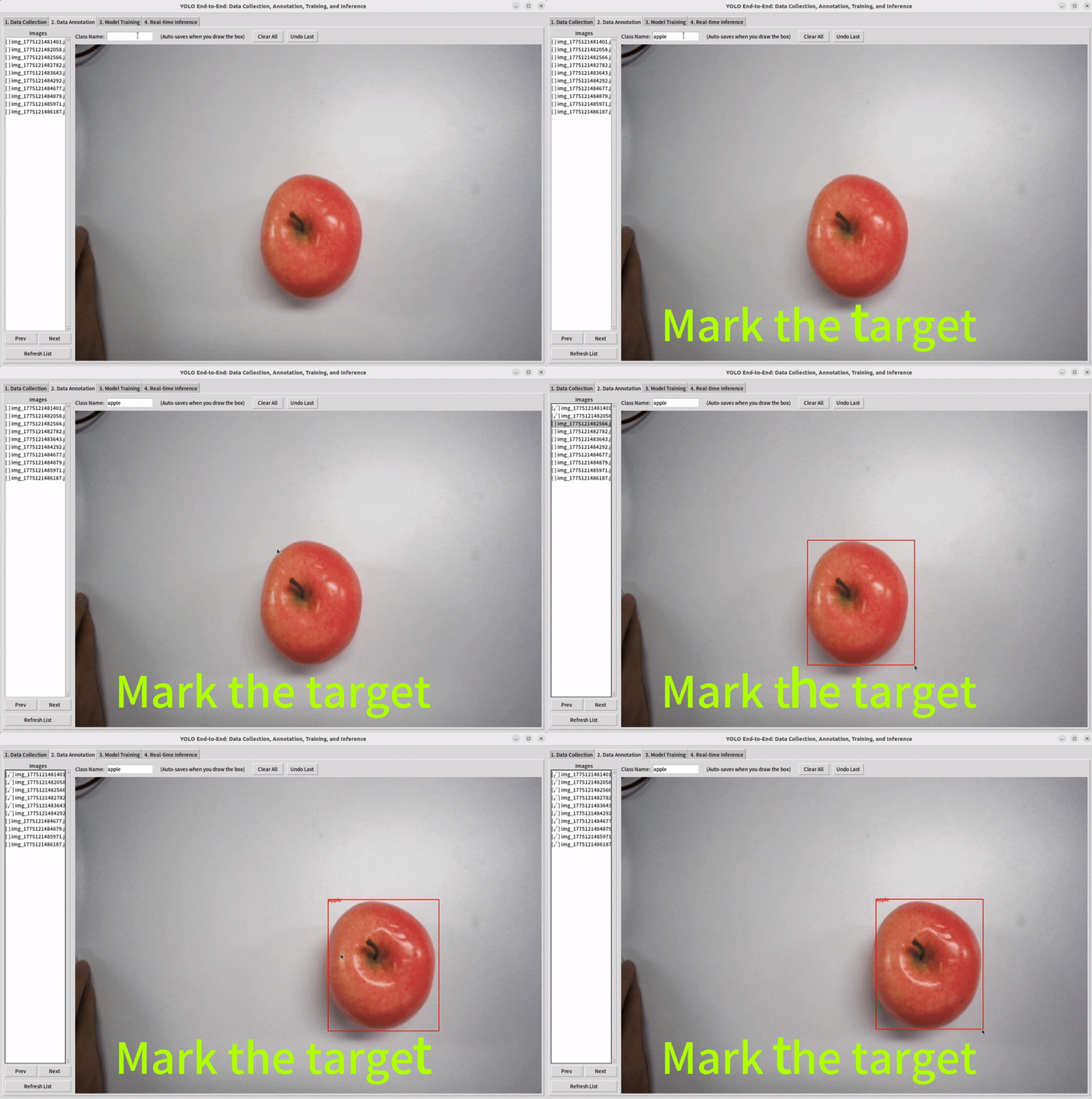
For detection, annotation usually means drawing bounding boxes and assigning class labels.
Use our tool and drag the mouse to mark the target you want to detect.
Step 4: Train a Model
Split your datasets and select a pretrain model to train.
The training set is used to teach the model by adjusting its parameters. The validation set is used during development to check how well the model is generalizing, compare different settings, and decide when to stop training. In short, dataset splitting helps us train the model, improve the model, and evaluate the model in a trustworthy way.
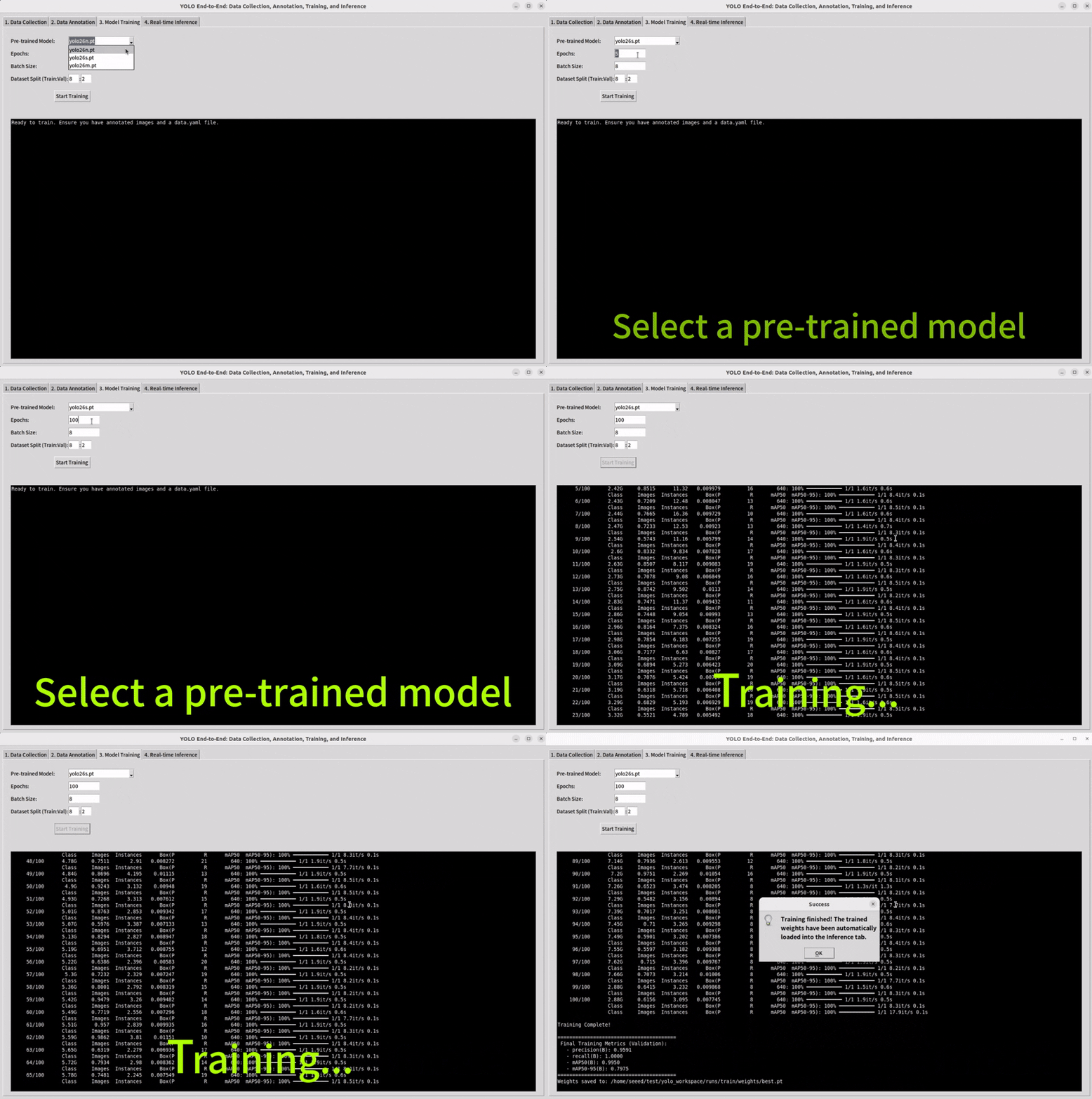
Training is the stage where the model learns from the dataset and gradually improves its predictions. Usually, we begin with a starting checkpoint, which means using a pretrained model instead of starting from zero. This helps the model learn faster and often gives better results.
Step 5: Inference
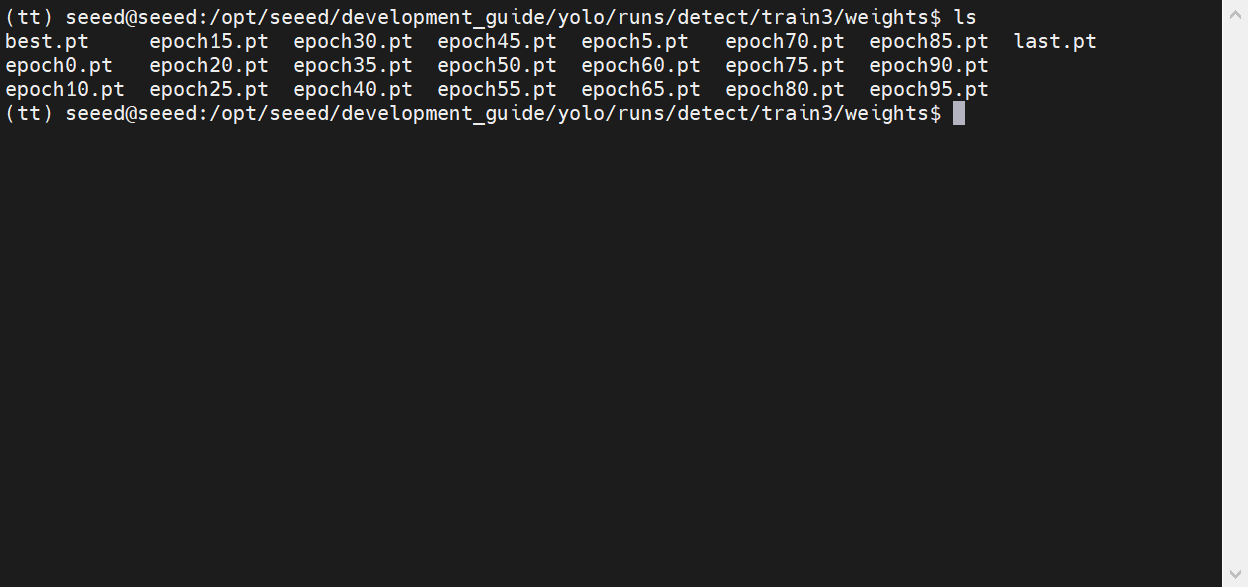
Select the model weights that have been trained previously and observe its performance.
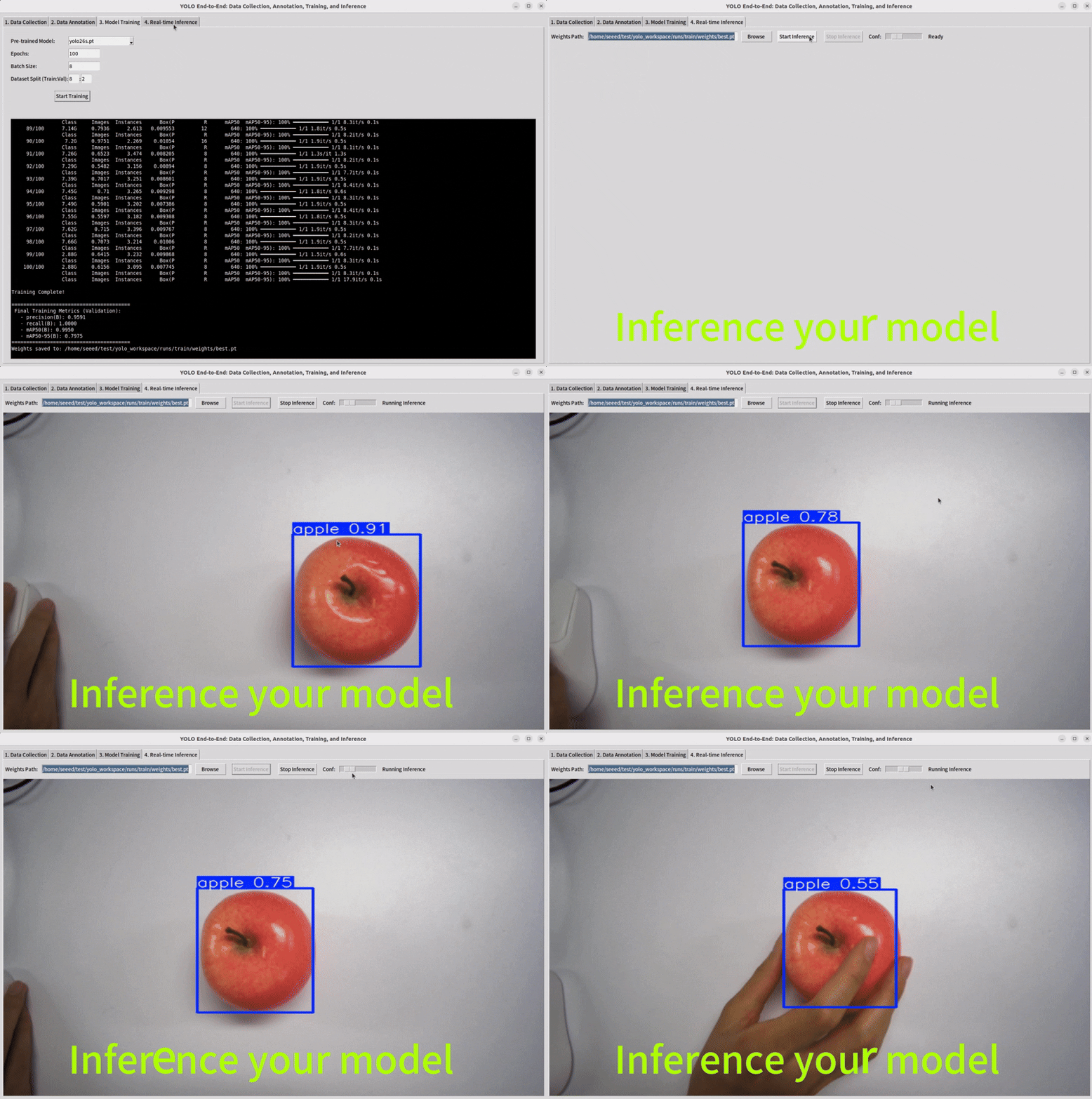
Note : If you want your model to perform better, you need to increase your dataset or perform data augmentation operations.
Common Misunderstandings
- "A high metric always means the model is ready."
- Real-world testing is still necessary.
- "More data automatically means a better model."
- More data helps only if it is relevant and well labeled.
- "If training finishes, deployment is easy."
- Deployment introduces speed, memory, and system constraints.
Exercises / Reflection
- Design a two-class object detection project that could be completed by a beginner.
- List five types of scene variation you would want in the dataset.
- Explain the difference between validation results and real deployment performance.
- After running a training job, inspect three failure cases and describe what kind of data might fix them.
Environment Setup
Before training YOLO models, set up your Python environment using the uv package manager:
Install uv
curl -LsSf https://astral.sh/uv/install.sh | sh
source ~/.bashrc
uv --version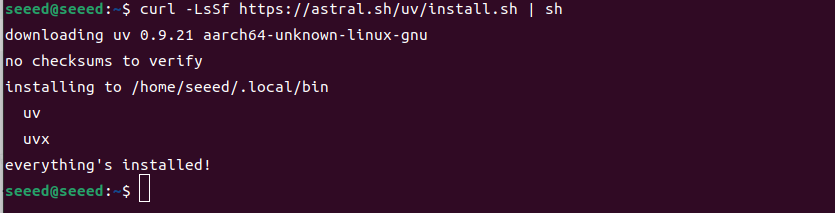
Create Virtual Environment
uv venv .yolo --python 3.10.12
source .yolo/bin/activate
python --version

Install PyTorch (GPU)
uv pip install torch --index-url https://pypi.jetson-ai-lab.io/jp6/cu126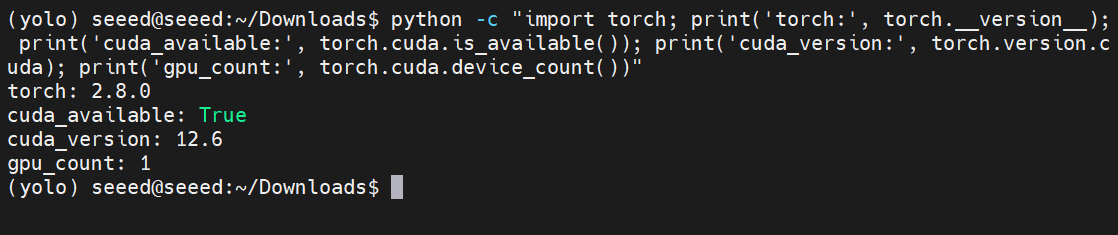
Note: Seeed's Jetson development kits come with pre-configured environments. Check if the
.yoloenvironment already exists before creating a new one.
Install YOLO26/Ultralytics
uv pip install ultralytics opencv-python pillow pyyamlYOLO26 Task Examples
YOLO26 supports multiple computer vision tasks. Below are examples for each.
Object Detection
Detect and locate objects in images or video:
cd 4-Computer-Vision/4.6-Train-and-Deploy-Your-Own-Vision-Model/code
python yolo_object_detection.py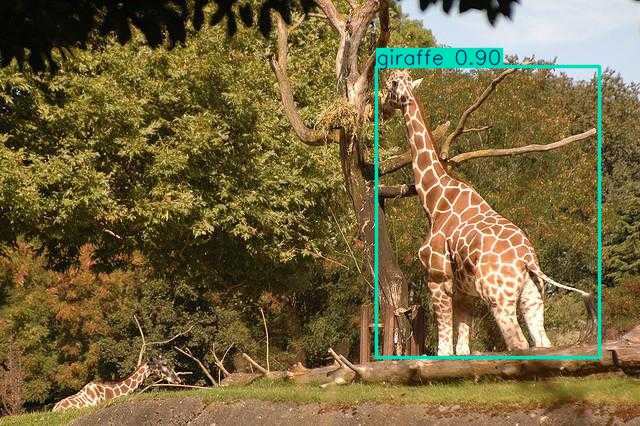
Instance Segmentation
Identify objects at the pixel level:
cd 4-Computer-Vision/4.6-Train-and-Deploy-Your-Own-Vision-Model/code
python yolo_instance_segmentation.py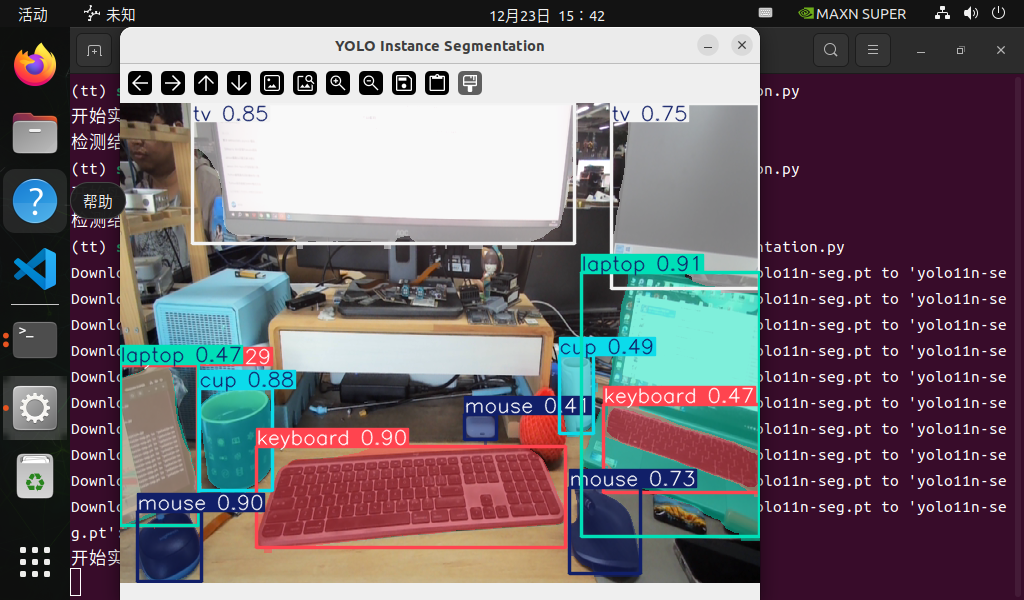
Pose Estimation
Detect human body keypoints:
cd 4-Computer-Vision/4.6-Train-and-Deploy-Your-Own-Vision-Model/code
python yolo_pose_estimation.py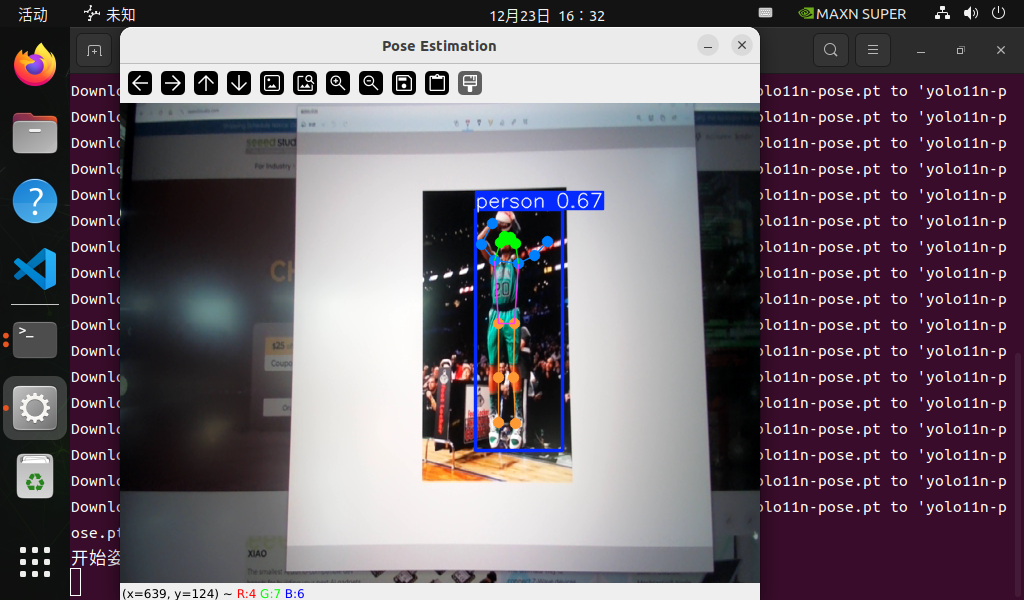
Image Classification
Classify the main subject in an image:
cd 4-Computer-Vision/4.6-Train-and-Deploy-Your-Own-Vision-Model/code
python yolo_image_classification.py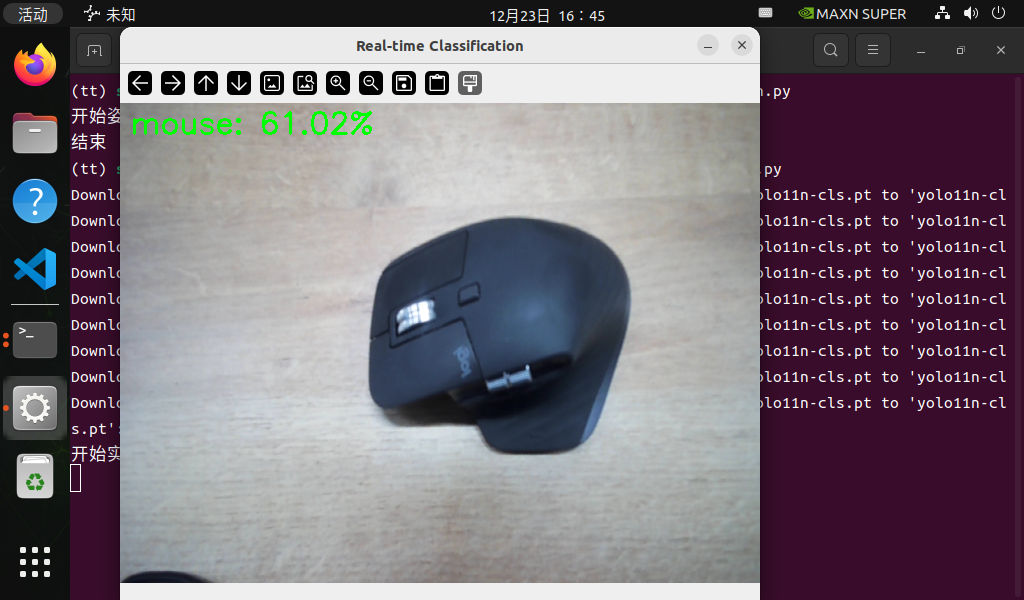
Oriented Object Detection (OBB)
Detect objects with rotated bounding boxes:
cd 4-Computer-Vision/4.6-Train-and-Deploy-Your-Own-Vision-Model/code
python yolo_obb_detection.py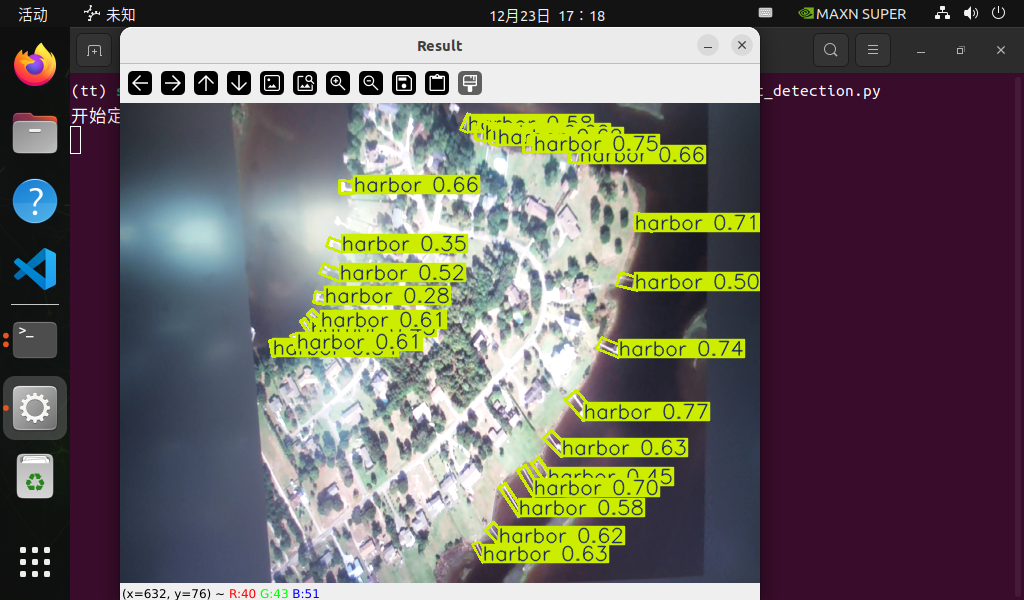
Model Training
Train a YOLO model on your custom dataset:
cd 4-Computer-Vision/4.6-Train-and-Deploy-Your-Own-Vision-Model/code
python yolo_train.py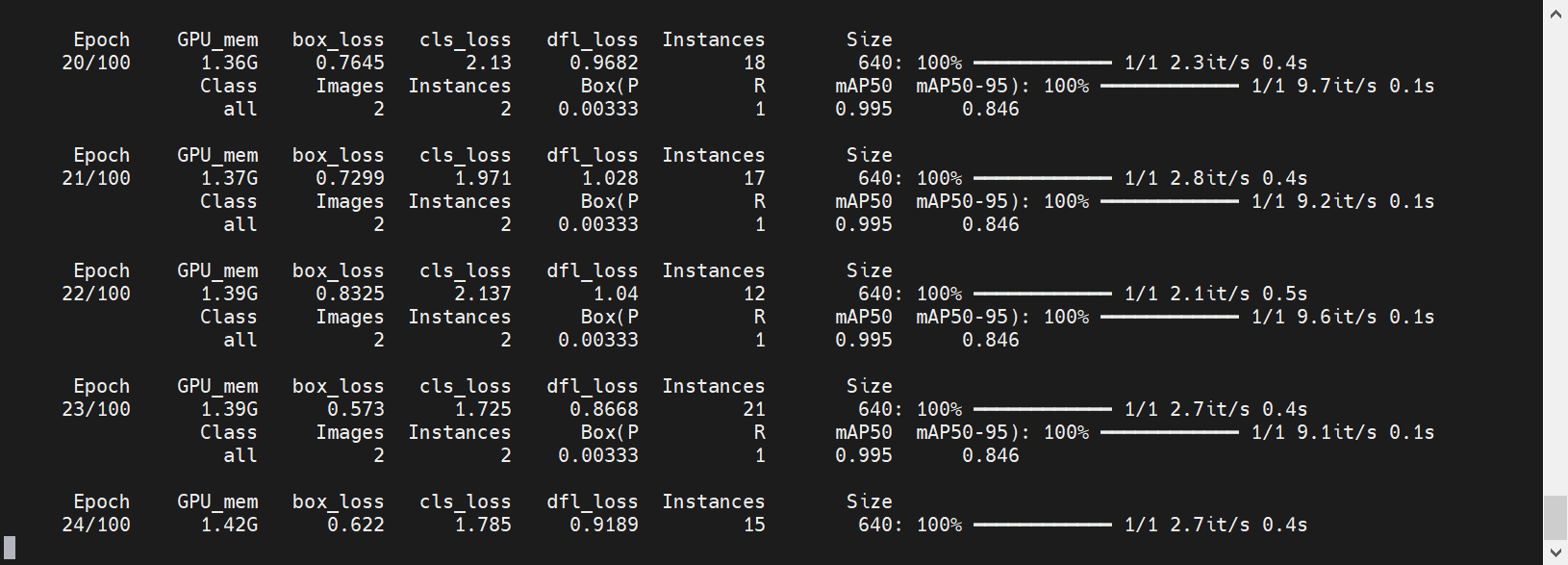
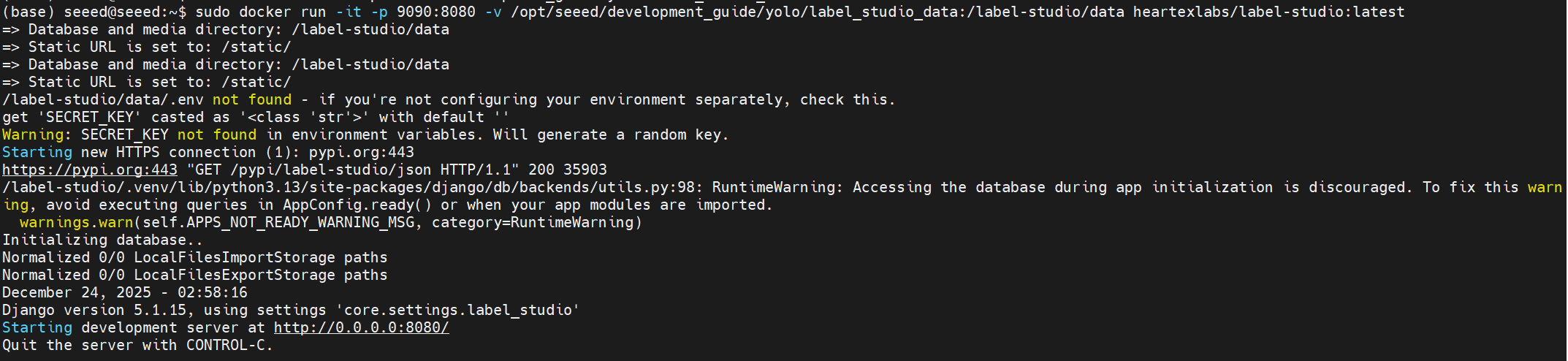
Dataset Annotation with Label Studio
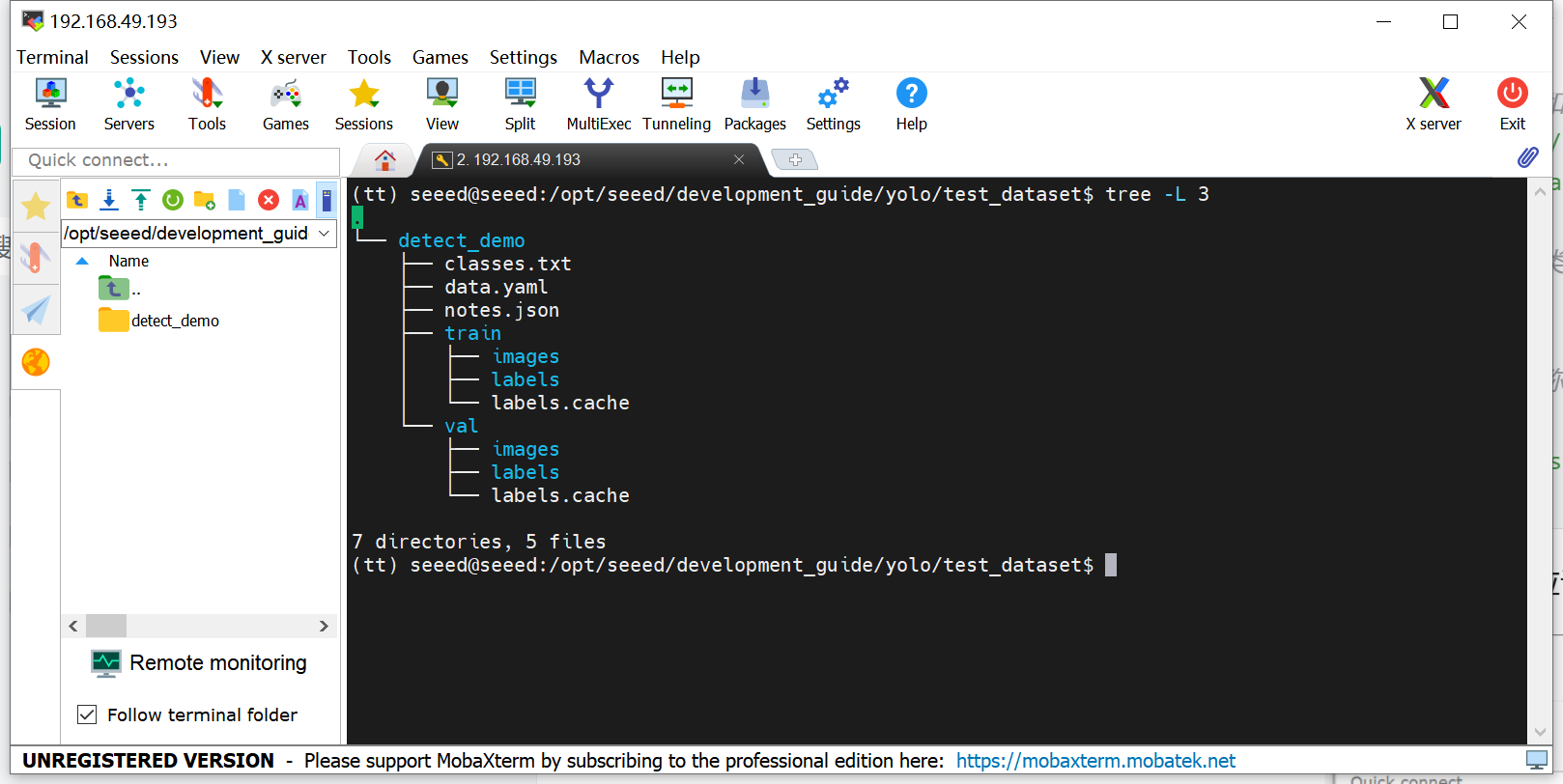
Use Label Studio (Docker-based) to annotate your training data:
Summary
Training a custom vision model is not only about running a command. It is a data-driven process involving task definition, annotation, training, validation, and error analysis. In the next section, we move from the first successful model to export and edge deployment.
Suggested Next Step
Continue to 4.7 Model Export and Edge Deployment.