Local Intelligent Question Answering System
This article will delve into the field of image generation, focusing on diffusion models. By integrating cutting-edge technologies such as the working principles of DALL·E and Stable Diffusion, we aim to understand their practical applications and development potential.
#Introduction to Diffusion Models in Image Generation
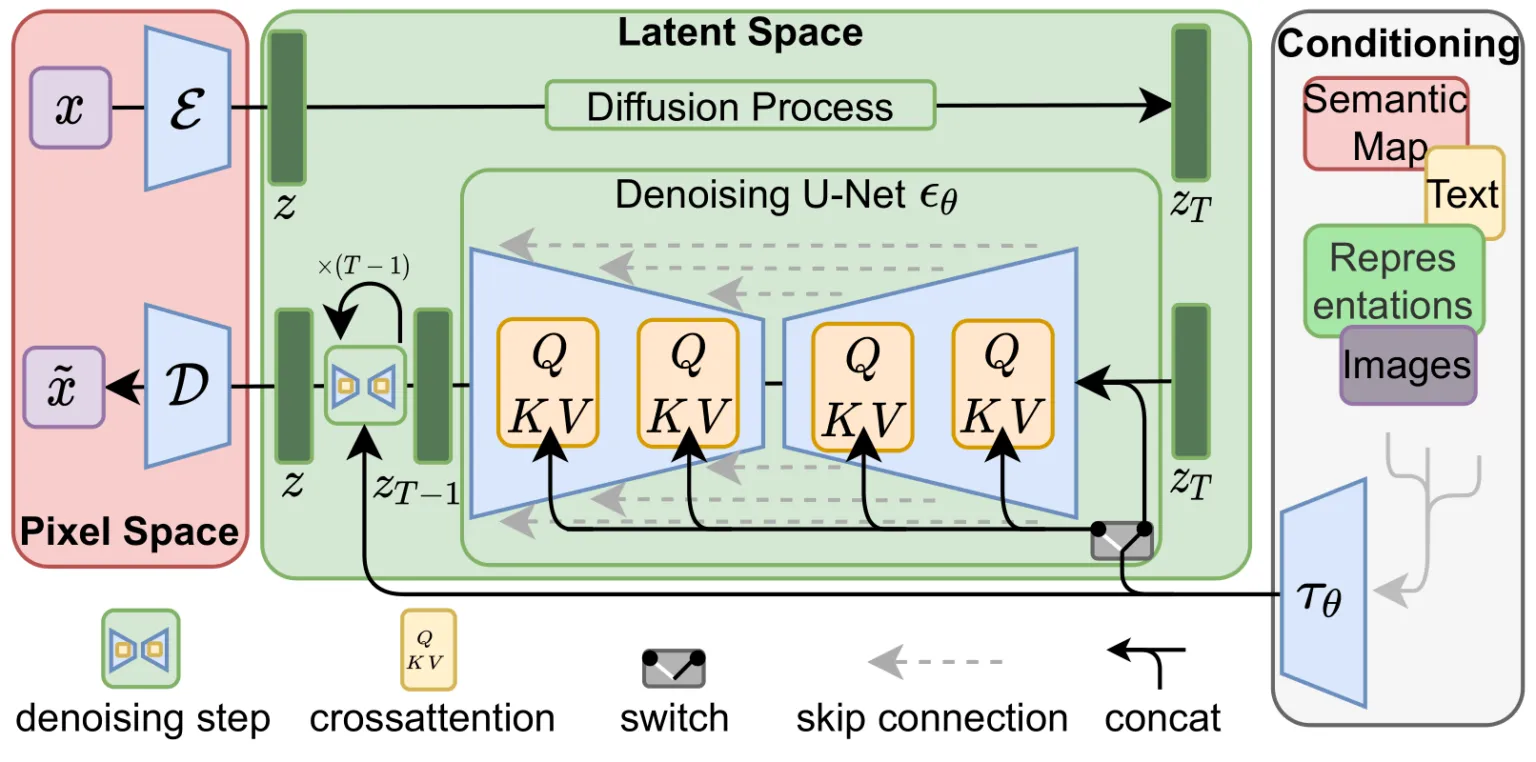
Diffusion models are a type of generative model that creates new images through a reverse diffusion process. Starting from Gaussian noise, diffusion models progressively infer the original image. This process can be seen as simulating a gradual “denoising�?procedure for image generation. It is a very powerful and efficient method of generation that has received widespread attention in recent years.
#The Mechanism of Stable Diffusion
The working principle of Stable Diffusion is based on the reverse process of diffusion models. The fundamental idea of diffusion models is to start with a completely random noise image and progressively infer a clear image. This process is divided into two stages:
-
Forward Diffusion Process During the forward diffusion process, given a real image, noise is gradually added until it becomes a completely random noise image. This process can be understood as the “destructive�?step of the image. Noise is typically added incrementally through a Gaussian distribution, with each step making the image more blurred and noisy.
-
Reverse Diffusion Process The reverse diffusion process is the core functioning part of Stable Diffusion. Given a completely random noise image, the model learns how to progressively denoise it to restore the original image. The reverse process is the opposite of the forward process; it uses a pre-trained neural network model to infer a clearer image at each step. Each step of the reverse process involves the model predicting the magnitude of the current noise and subtracting it from the current image to obtain a less noisy image. Ultimately, after multiple reverse steps, the model can generate a clear and high-resolution image from pure noise.
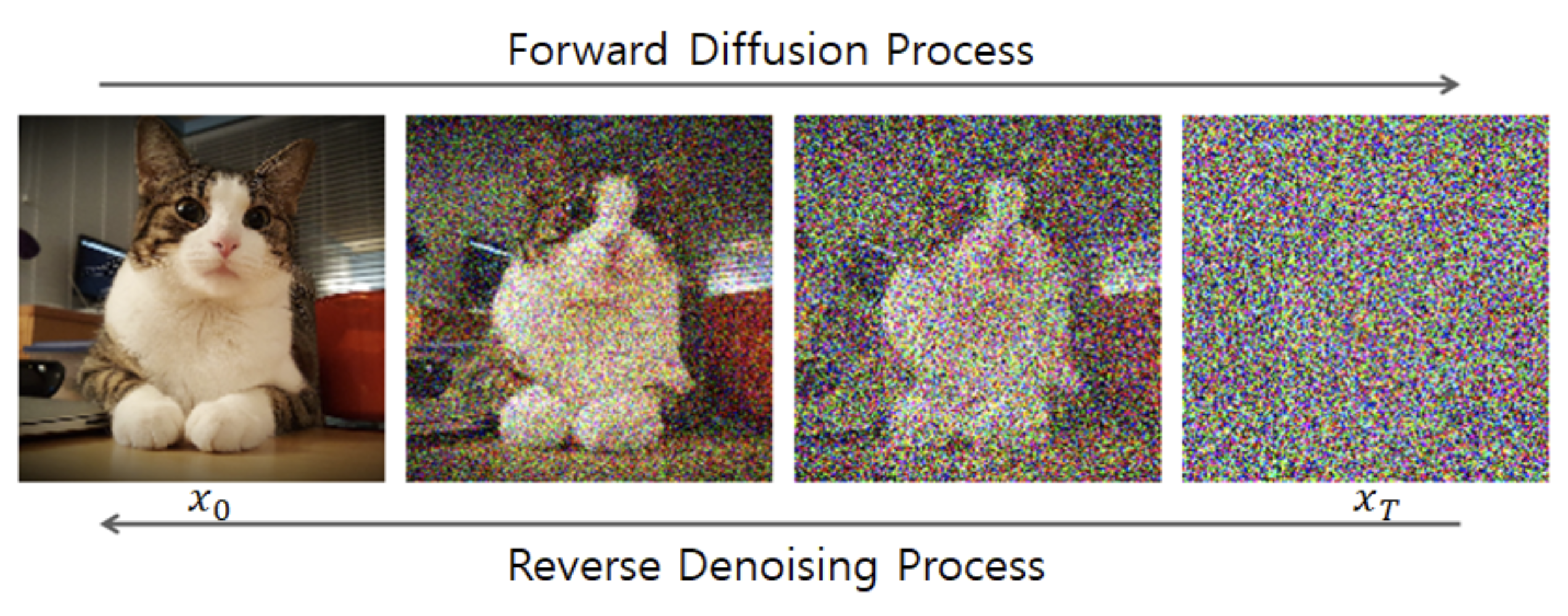
Image source:https://sushant-kumar.com/blog/ddpm-denoising-diffusion-probabilistic-models
#Deploying the SD Model on Jetson Devices
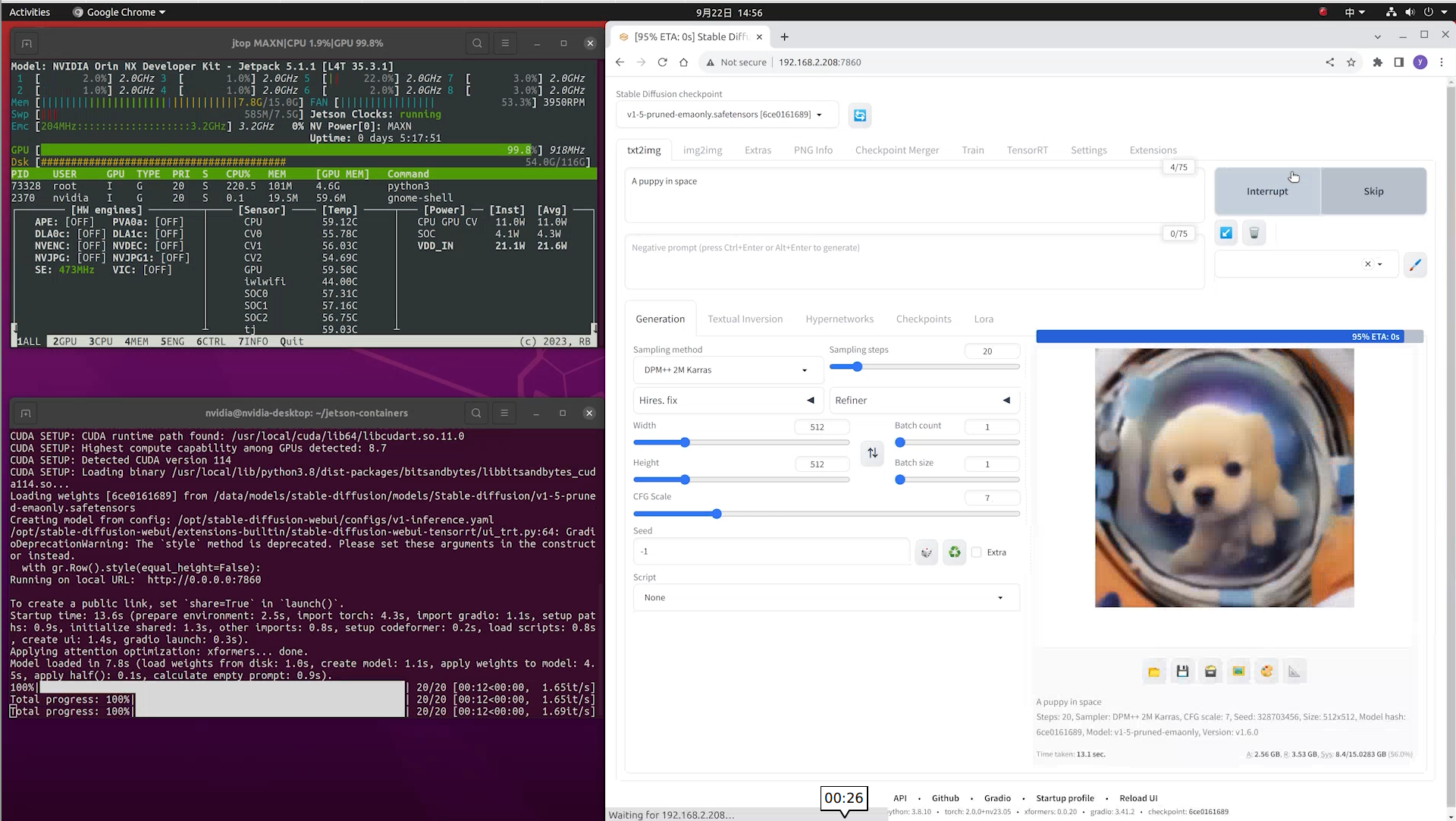
We can quickly deploy Stable Diffusion WebUI on Jetson devices using the jetson-examples tool. This project allows users to load the Stable Diffusion model and configure workflows through a graphical interface.
Step 1. Install jetson-examples on your Jetson device Open a terminal on your Jetson device and enter:
pip3 install jetson-examplesStep 2. Use the jetson-examples tool to install the stable-diffusion-webui project with one command:
reComputer run stable-diffusion-webuiStep 3. Open your browser and go to http://<ip-jetson>:7860, and you can start generating images with Stable Diffusion.