Dataset Management
Dataset Management is used to inspect and organize collected data.
Its purpose is to turn collected demonstrations into reliable training material before training begins. The Collection page records demonstrations; the Dataset Management page determines whether those demonstrations are suitable for training.
Dataset List
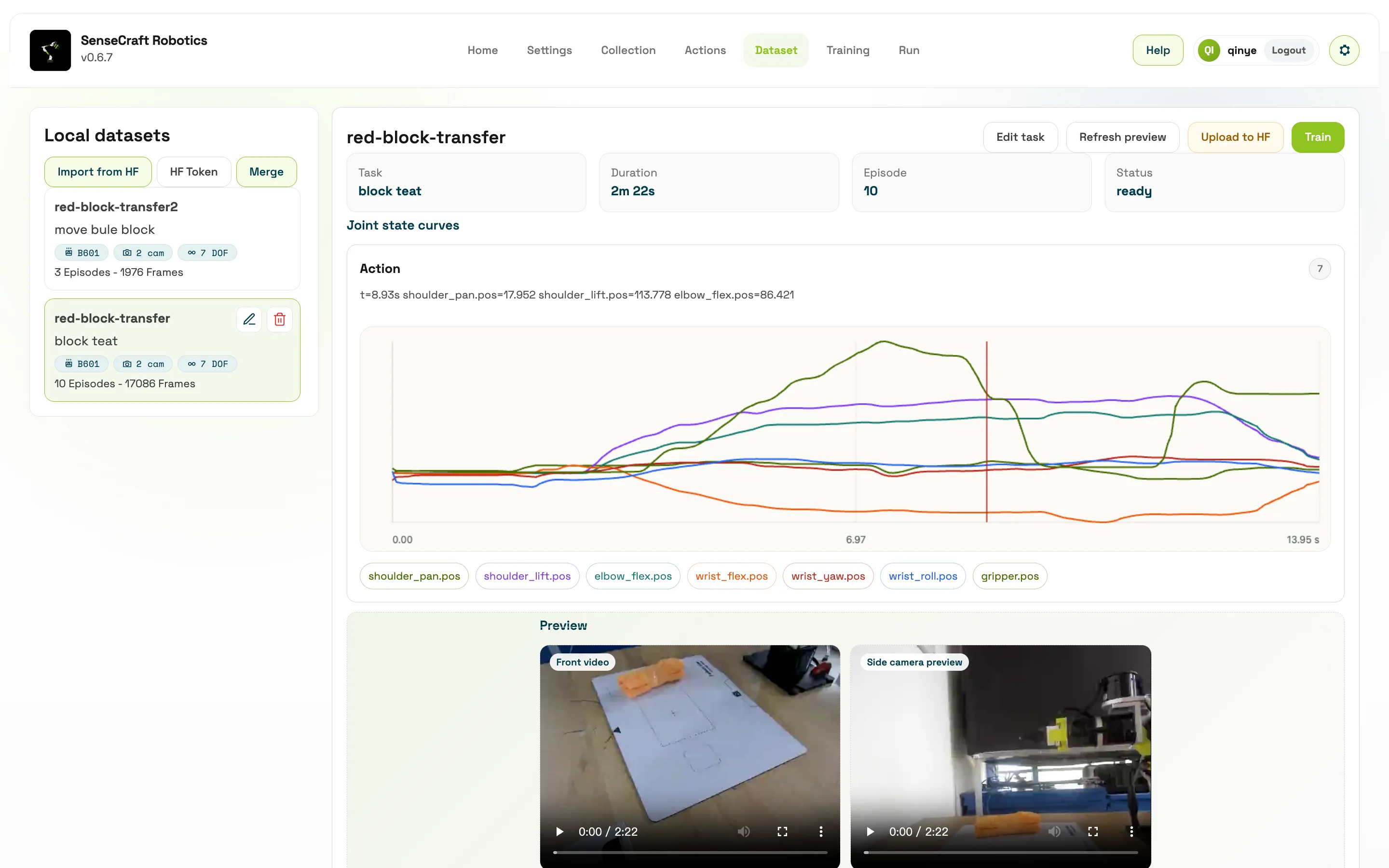
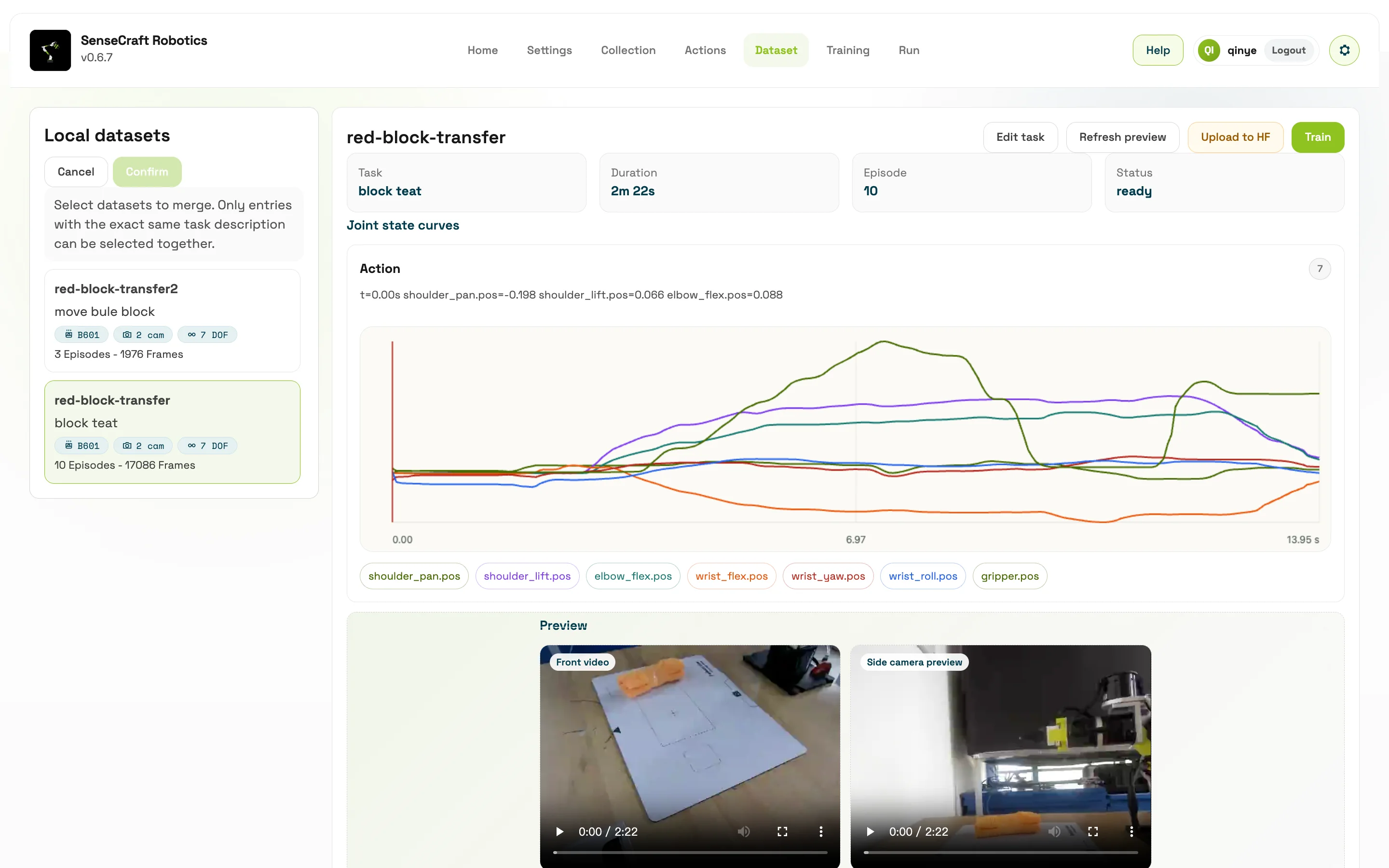
Section titled “Dataset List”The left side displays the local dataset list. Multiple datasets with exactly the same task description can be selected and merged.
Dataset merging combines data collected in separate batches for the same task, hardware configuration, and camera layout. Before merging, confirm that the task description, object placement rules, camera layout, robotic arm model, and sampling configuration are consistent. Otherwise, the merged dataset may have more samples but greater internal variation, which can reduce training quality.
- Merge only datasets with the same task objective. Do not mix “pick up the red block” and “pick up the blue block”.
- Merge only datasets with the same number of cameras and the same viewing angles.
- After merging, inspect the total episode count, sample frames, joint curves, and status again.
- Before uploading to Hugging Face, confirm that the dataset does not contain irrelevant, failed, or privacy-sensitive content.
Dataset Details
Section titled “Dataset Details”Training quality depends heavily on data quality. If the dataset contains failed actions, dropped frames, inconsistent task descriptions, or large changes in camera viewpoint, the model may learn incorrect behavior.
After entering Dataset Management, do not only check whether the dataset exists. Check whether it is trainable. Trainable means the task objective is consistent, every episode is complete, video and joint data are synchronized, episode duration is reasonable, and there are no obvious corrupted frames or abnormal data.
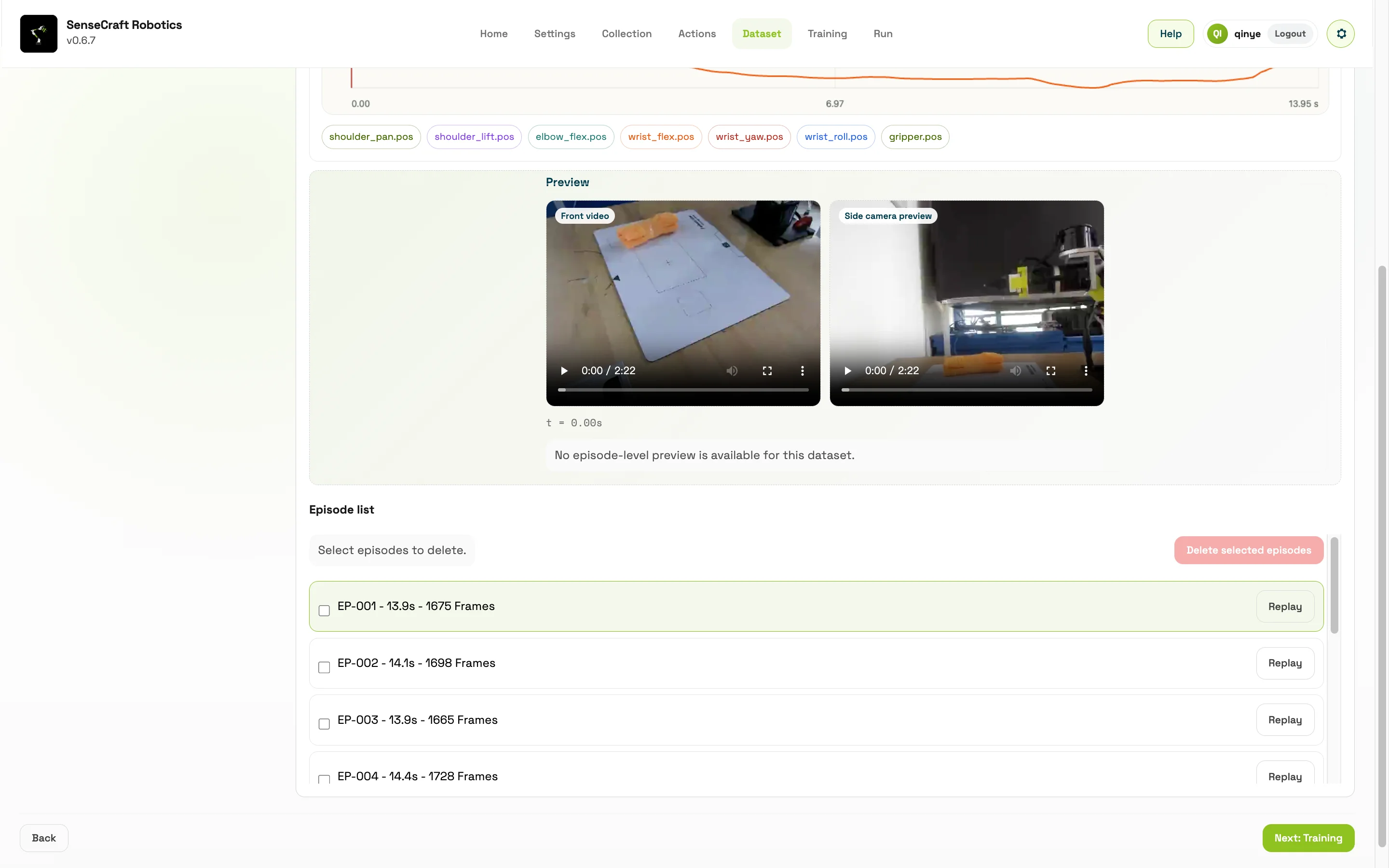
After selecting a dataset, you can view:
| Area | Content |
|---|---|
| Task | Task description |
| Duration | Total duration |
| Episodes | Number of episodes |
| Status | Data quality / status |
| Joint state curves | Joint state curves |
| Video / sample frame preview | Video or sample frame preview |
| Episode list | Frame count, duration, and preview for each episode |
Available Operations
Section titled “Available Operations”| Operation | Description |
|---|---|
| Edit task | Modify the task description |
| Refresh preview | Regenerate or refresh previews |
| Upload to Hugging Face | Upload the dataset to Hugging Face |
| Train | Use this dataset for training |
| Delete episodes | Delete selected episodes |
| Merge | Merge datasets with the same task description |
| Replay episode | Replay a demonstration episode in the dataset |
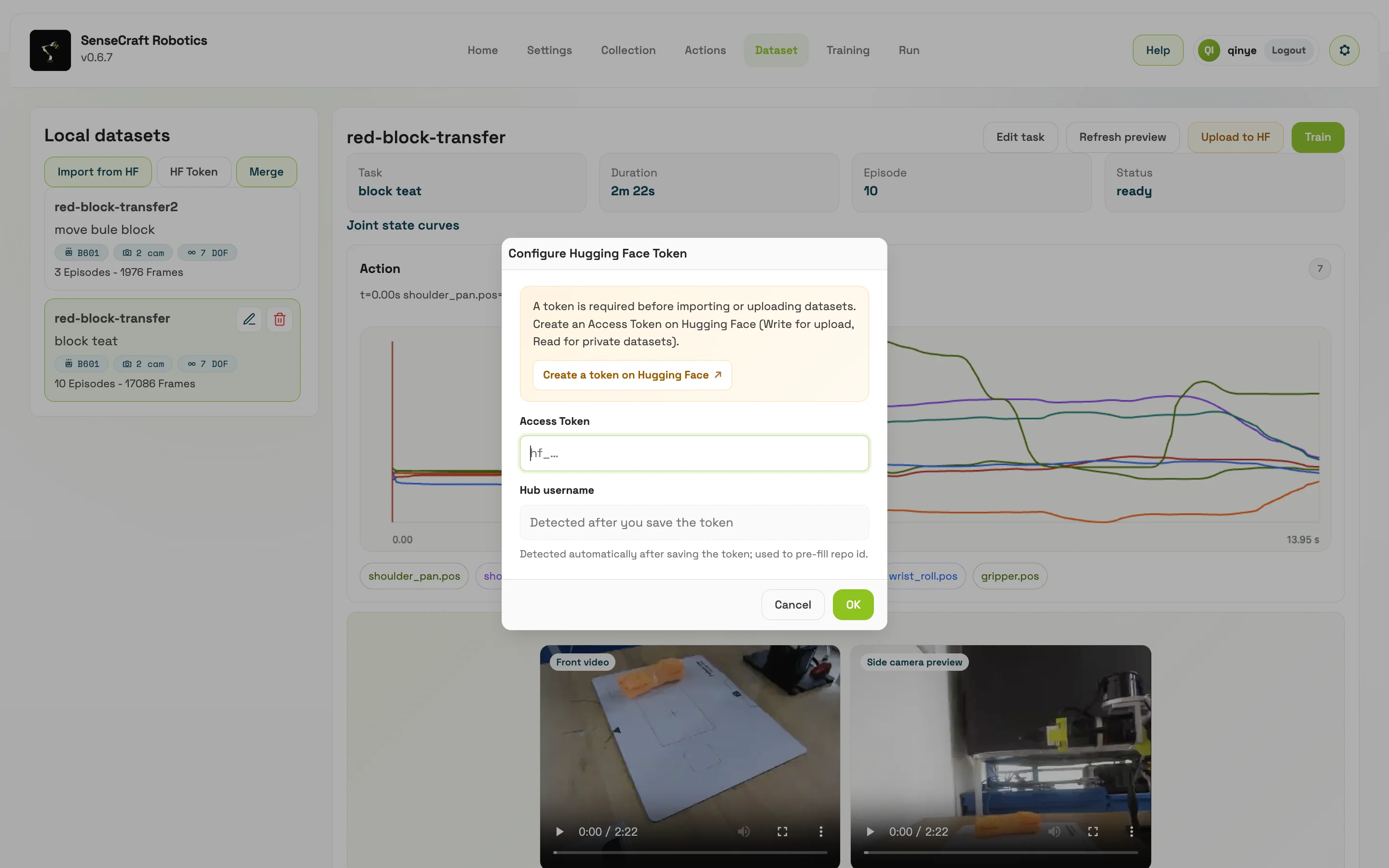
Uploading to Hugging Face requires an access token. The page provides token input, account recognition, and repository configuration.
Key Checks
Section titled “Key Checks”| Check Item | What to Look For | Why It Matters |
|---|---|---|
| Task description | Whether it matches the training objective | Inconsistent descriptions make one dataset express multiple goals and reduce training stability |
| Number of episodes | Whether there are enough valid demonstrations | With too few samples, the model may memorize individual trajectories and generalize poorly |
| Episode duration | Whether it is much shorter than configured or contains long idle periods | Abnormal duration may indicate early interruption, dropped frames, or unclear task boundaries |
| Video / sample frames | Whether objects, gripper, and key actions are clearly visible | Vision models rely on images to judge state. Occlusion and blur affect learning |
| Joint curves | Whether curves are continuous, with no jumps, breaks, or abnormal shaking | Abnormal curves may indicate connection, calibration, or recording issues |
| Status prompts | Whether there are repairable or unusable statuses | Determines whether repair, re-recording, or deletion is needed |
Why Cleaning and Repair Matter
Section titled “Why Cleaning and Repair Matter”Deleting episodes is not about reducing data. It is about removing samples that may mislead the model. Failed demonstrations, obvious collisions, failed grasps, interrupted actions, and severe camera occlusion can all cause the model to learn unstable behavior. Keeping a smaller set of high-quality samples is usually more reliable than keeping a large but inconsistent dataset.
After checking, cleaning, and merging the dataset, the user should have a dataset with a clear task objective, stable quality, and training readiness. Starting training at this point makes the training process more controllable and makes it easier for the model to reproduce the intended task during execution.