Data Collection
The Collection page is used to record demonstration data.
The purpose of data collection is to record how a human completes a task through teleoperation and turn that process into trainable data. A complete collection session usually consists of multiple episodes. Each episode should include the task start state, the full operation process, and the task completion state. The model does not learn a single button action; it learns the relationship between camera images, robotic arm joint states, and action sequences.
Therefore, data collection is not simply recording a video. It also records visual information, robotic arm states, action commands, timestamps, and the task description. During training, the algorithm learns what action should be output next under a given image and current arm posture.
Before formal collection, define the task clearly and consistently. A good task is specific, such as “move the red block from the left side to the right side”, instead of a broad description such as “move the block”. The more stable the task description is, the more consistent the dataset will be, and the easier it will be for the model to converge during training.
Collection Parameters
Section titled “Collection Parameters”| Parameter | Default Value | Description |
|---|---|---|
| Dataset name | red-block-transfer | Stores this collection result. Use English letters, numbers, or hyphens when possible |
| Task description | Move the red block from the left side to the right side | Helps distinguish different tasks. Especially important for policies that require language instructions |
| Number of episodes | 6 | Each episode is saved as one recorded demonstration |
| Episode duration | 30 seconds | Should cover one complete task execution |
| Rest duration | 5 seconds | Reset time between two recorded episodes |
| Sampling speed | Depends on device configuration | Affects collection frame rate. Lower it if collection is unstable |
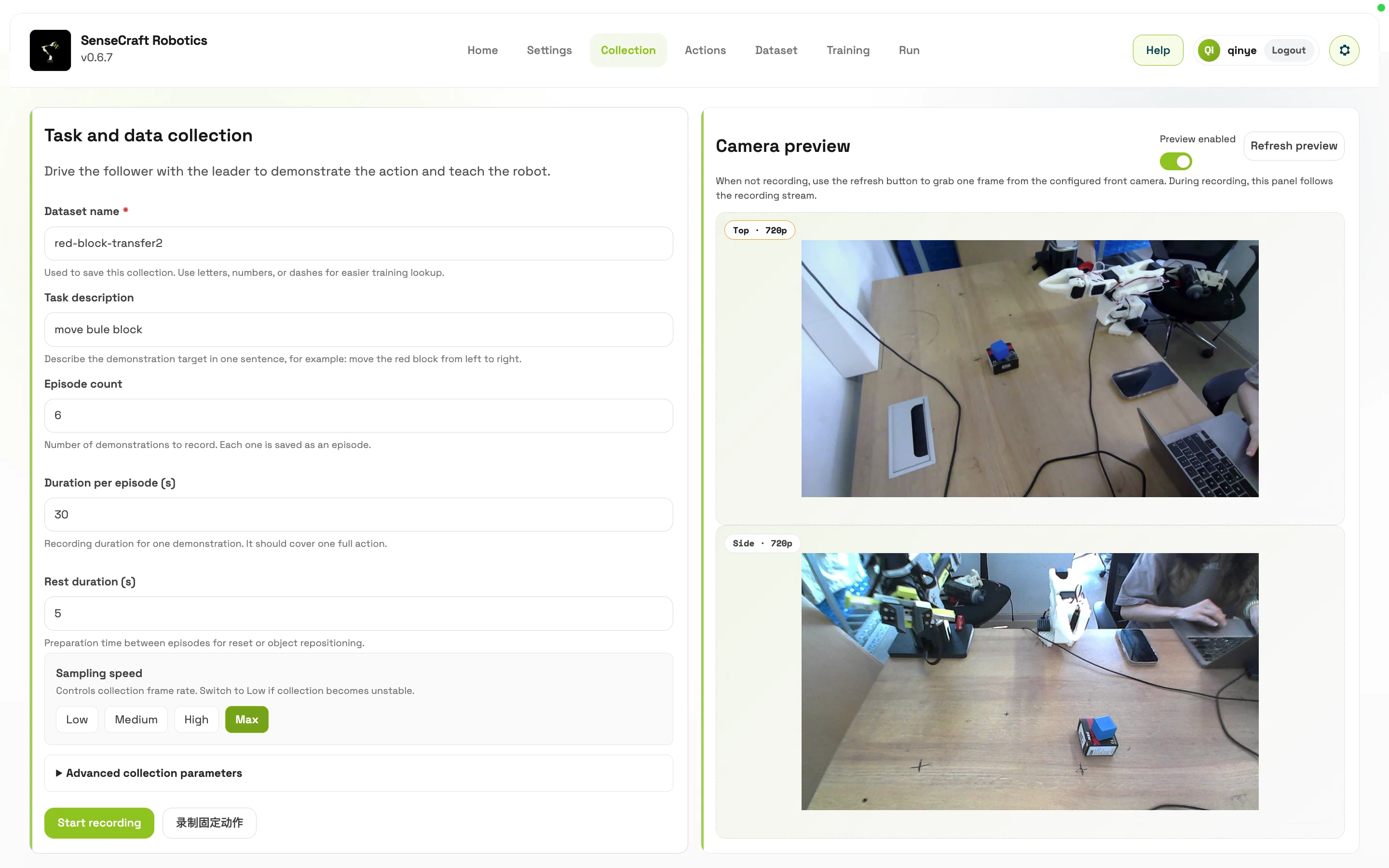
Start Recording
Section titled “Start Recording”- Confirm that device setup, calibration, and teleoperation verification are complete.
- Enter the dataset name and task description.
- Set the number of episodes, episode duration, and rest duration.
- Click Start Recording.
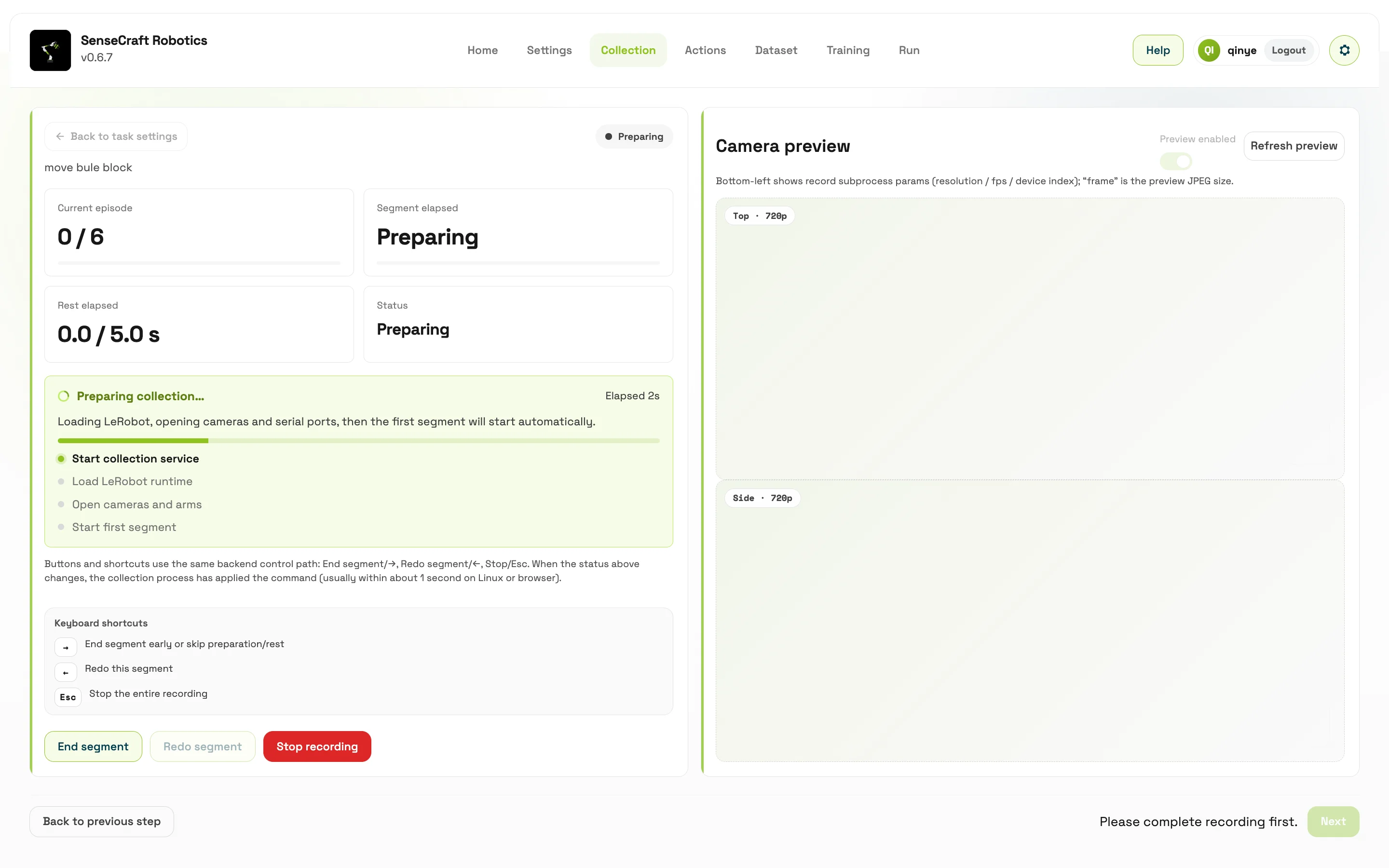
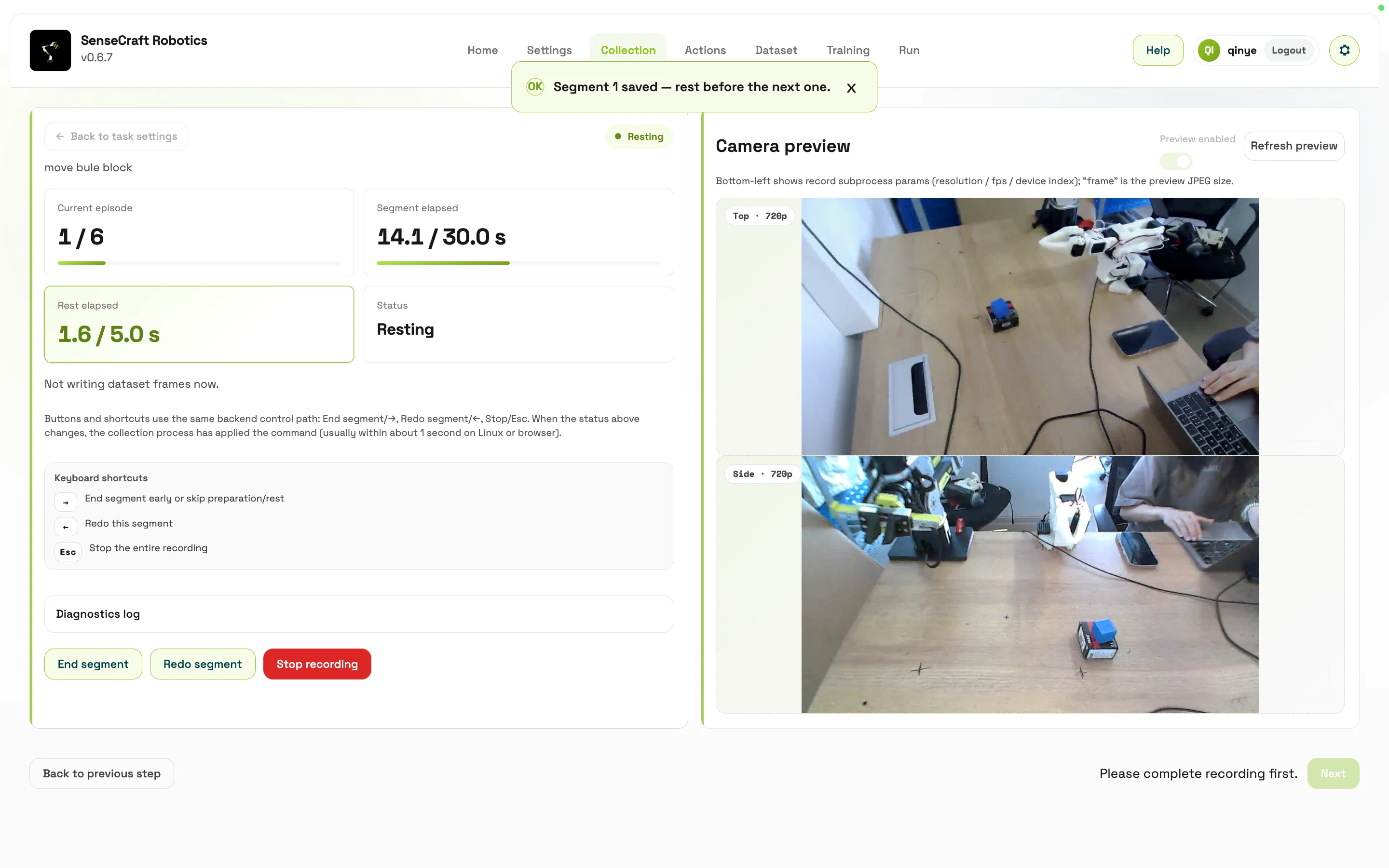
- Follow the page timer to complete each demonstration.
- After recording is complete, go to the Dataset page to inspect the results.
Before recording, confirm the workspace, camera angle, object start position, and robotic arm posture. Keep these conditions as consistent as possible during collection, because the model treats all of them as part of the task environment. If early episodes are recorded from one side but later episodes use different lighting or camera angles, the dataset may look larger, but the learning difficulty also increases significantly.
- Start each episode from a similar initial state and end with a clear successful state.
- Keep motions complete, stable, and consistent in rhythm. Avoid pauses, hesitation, repeated probing, or collisions.
- If an episode clearly fails, record it again instead of mixing the failed demonstration into the formal training data.
- Do not collect too much data in a single unchecked batch. Start with about 20 episodes per batch and inspect their quality before continuing. If the task needs more samples, collect in batches, then merge them in Dataset Management.
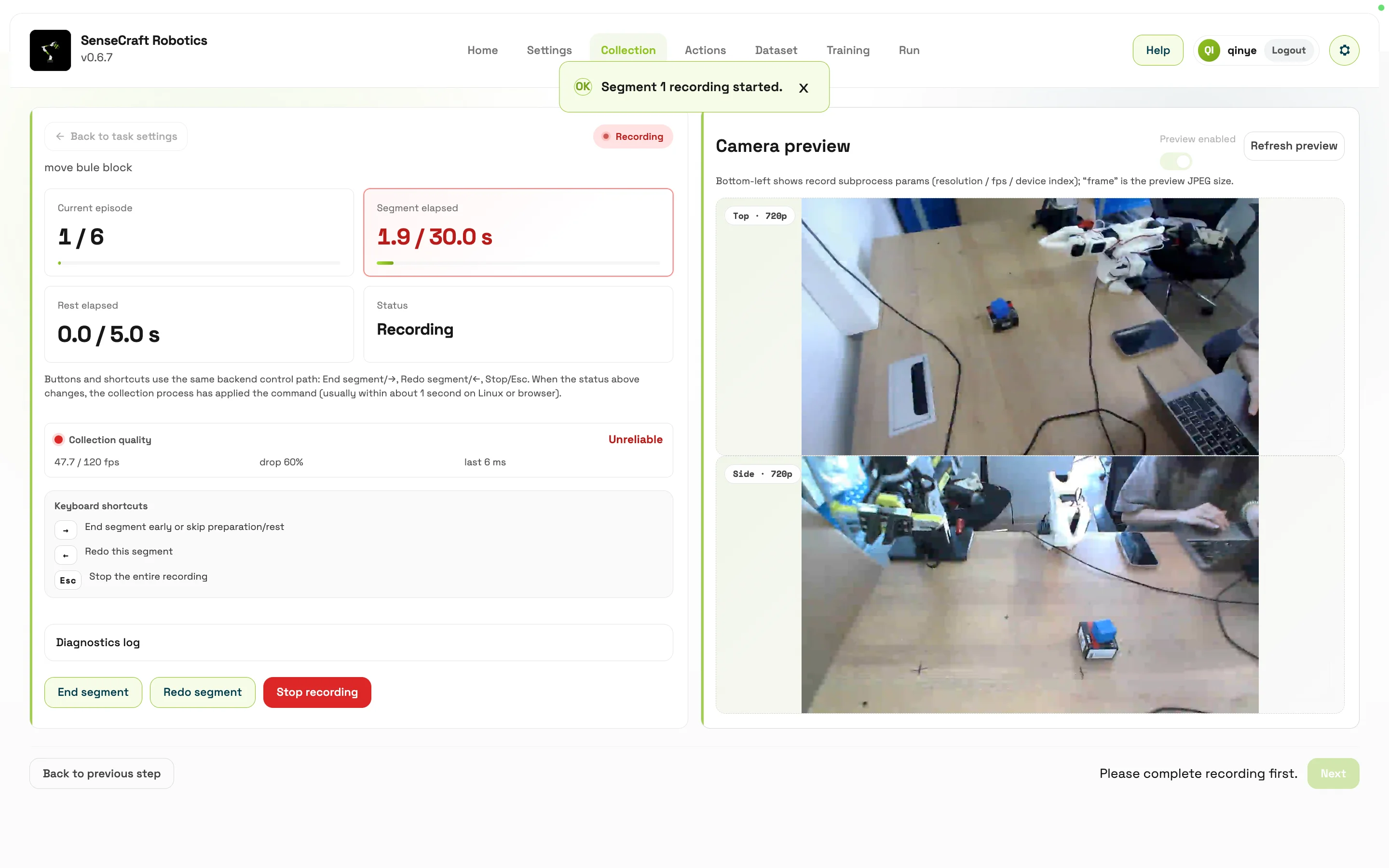
During recording, the following actions are available:
| Action | Function |
|---|---|
| End current episode early | End the current episode when the task has already been completed |
| Re-record current episode | Re-record the current episode when quality is poor |
| Stop all recording | Stop the entire collection task |
| Diagnostic logs | View low-level recording logs |
Keyboard shortcuts:
| Shortcut | Function |
|---|---|
| Right Arrow | End the current episode early, or skip preparation/rest |
| Left Arrow | Re-record the current episode |
| Esc | Stop all recording |
Collection Quality
Section titled “Collection Quality”The Collection page displays collection quality indicators, including:
- Actual / target frame rate
- Dropped frame information
- Recent frame timing
If quality is unstable, lower the sampling speed, reduce camera resolution, or disable unnecessary previews.
During recording, focus on two types of information: whether the task is completed, and whether the data is stable. Task completion means the robotic arm completes grasping, moving, placing, or other expected actions. Data stability means the actual frame rate, dropped frames, camera image, and joint curves are normal.
If the current episode has already completed the task, end it early to avoid recording unnecessary waiting time. If the operation fails midway, the gripper misses the object, the object falls, or the trajectory clearly deviates, re-record the episode immediately. High-quality data is usually more valuable than a larger amount of mixed data that contains failed samples.
Common Performance Issues
Insufficient collection performance does not always stop recording immediately. It may instead appear as delayed controls, dropped frames, or abnormal episode duration. Resolve performance problems before continuing with batch collection.
| Symptom | Possible meaning | Recommended action |
|---|---|---|
| Noticeable delay after ending an episode early, re-recording, or stopping | Camera load, sampling speed, or overall system load is high, preventing the recording thread from processing commands promptly | Lower the sampling speed or camera resolution, disable unnecessary previews, and check whether control responsiveness recovers. |
| Recording is set to 15 seconds, but the episode in the dataset is clearly shorter | Frames may have been dropped, recording may have been interrupted, or system performance may be insufficient | Check actual / target frame rate, dropped-frame information, and diagnostic logs. Delete or re-record abnormal episodes. |
| Frame rate remains below the target or dropped frames keep increasing | The current sampling configuration exceeds the capability of the computer, camera, or storage path | Lower the sampling level or image data volume, then record a small number of episodes to verify stability. |
Recommended Data Collection Practices
Section titled “Recommended Data Collection Practices”To obtain more stable training results, follow these recommendations:
- Record multiple complete demonstrations for each task.
- Start every episode from a similar initial state and finish at a complete end state.
- Avoid pauses, collisions, and occlusions during demonstrations.
- Keep the task description consistent. Do not mix different tasks in the same dataset.
- Keep camera positions fixed. Use the same views for collection, training, and execution.
- Re-record failed demonstrations promptly, or delete the corresponding episodes in Dataset Management.
After collection, the system generates a local dataset. This dataset is the input for training, not the final model. Next, the user should go to Dataset Management and inspect each episode’s video, sample frames, duration, frame rate, and joint curves to confirm that the data represents the task the model should learn. Only data that passes quality inspection should proceed to training.
Collection Volume and Training Step Reference
Section titled “Collection Volume and Training Step Reference”The following values are starting references for planning an initial experiment, not guarantees of training performance. The required data volume and training steps depend on task difficulty, demonstration consistency, camera views, object variation, and policy type.
Complete a small collection, training, and execution-validation cycle first, then add data based on the observed failures.
| Task difficulty | Example | Suggested episodes | Suggested training steps | Acceptance focus |
|---|---|---|---|---|
| Beginner | Move from a fixed position A to a fixed position B | About 20 | 10,000–15,000 | Stable motion path, controlled endpoint error, and no obvious failure across repeated runs. |
| Intermediate | Grasp from random positions within a range and move to a target position | About 50 | 30,000–40,000 | Coverage of different initial positions, stable grasp success rate, and generally consistent placement. |
| Advanced | Long-duration, multi-step, or continuous tasks | About 100 | 80,000–100,000 | Long-term stability, accumulated error, abnormal states, and coverage of the data distribution. |