Training
Training teaches the model to decide “what action should be performed after observing the current state”. The dataset stores camera images, robotic arm joint states, and human demonstration actions. Training repeatedly feeds these samples into the algorithm so that the model gradually learns to predict the next action from visual and state information.
The output of training is a model, not a fixed action. A fixed action only repeats a preset trajectory. A trained model attempts to output actions according to the current image and arm state, which makes it more suitable for tasks with slight position variations. However, model stability depends on data quality, task difficulty, collection consistency, and training configuration.
The Training page supports both cloud training and local training.
Training Configuration
Section titled “Training Configuration”| Parameter | Default Value | Description |
|---|---|---|
| Training dataset | Required | Select a collected and trainable dataset |
| Policy | ACT | The strategy or algorithm type used for training. ACT and other supported models may be available |
| Training steps | 10000 | Number of repeated learning steps. More steps usually mean more complete training, but longer time and higher resource usage. Too few steps may underfit; too many steps may overfit small datasets |
| Batch size | Number of samples processed at once | Larger batch sizes usually require more GPU memory or system memory. Lower it if resources are insufficient |
Cloud Training
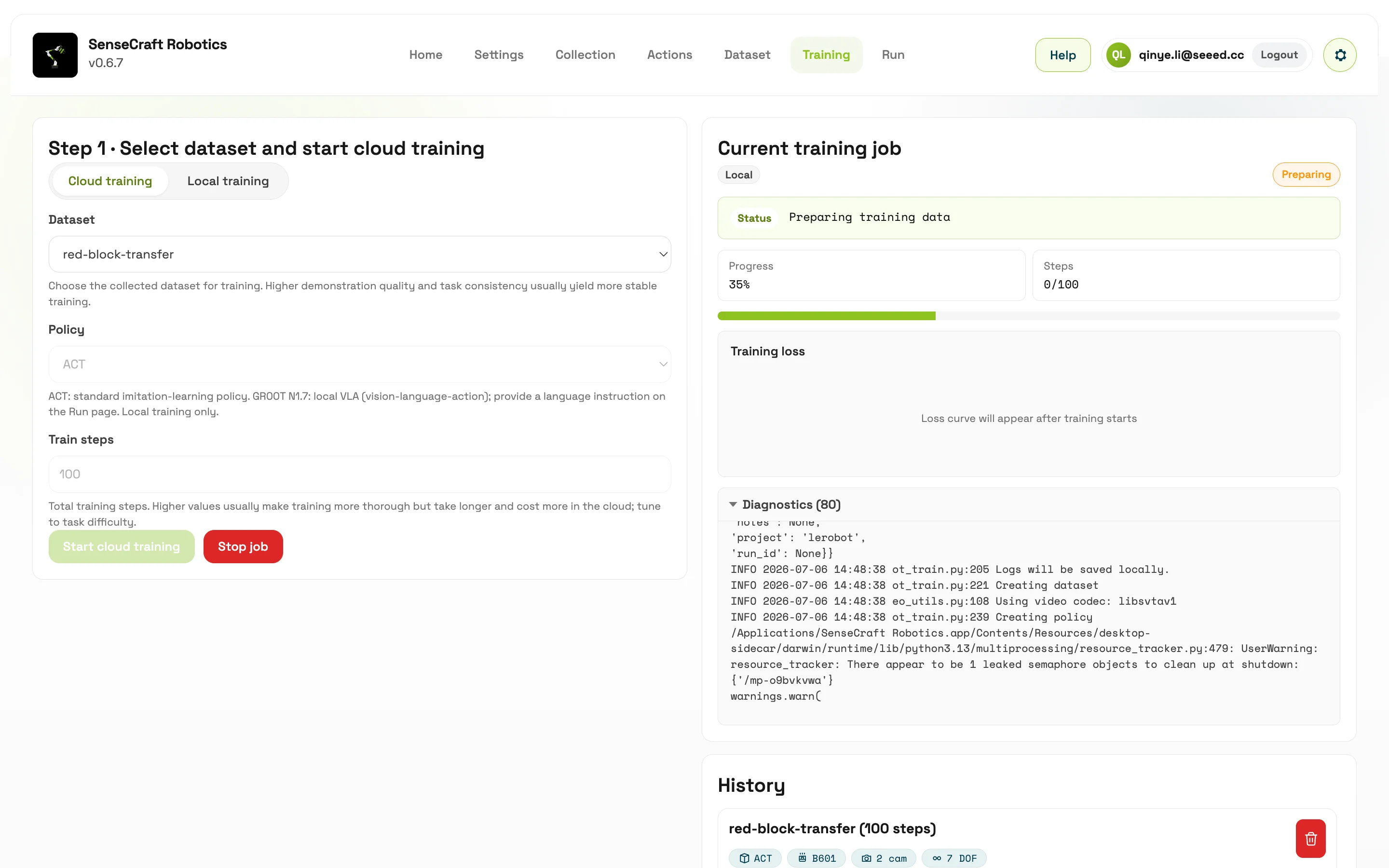
Section titled “Cloud Training”Cloud training requires logging in to a SenseCraft account and maintaining a stable network connection. It supports:
- Creating a training task
- Viewing the current task
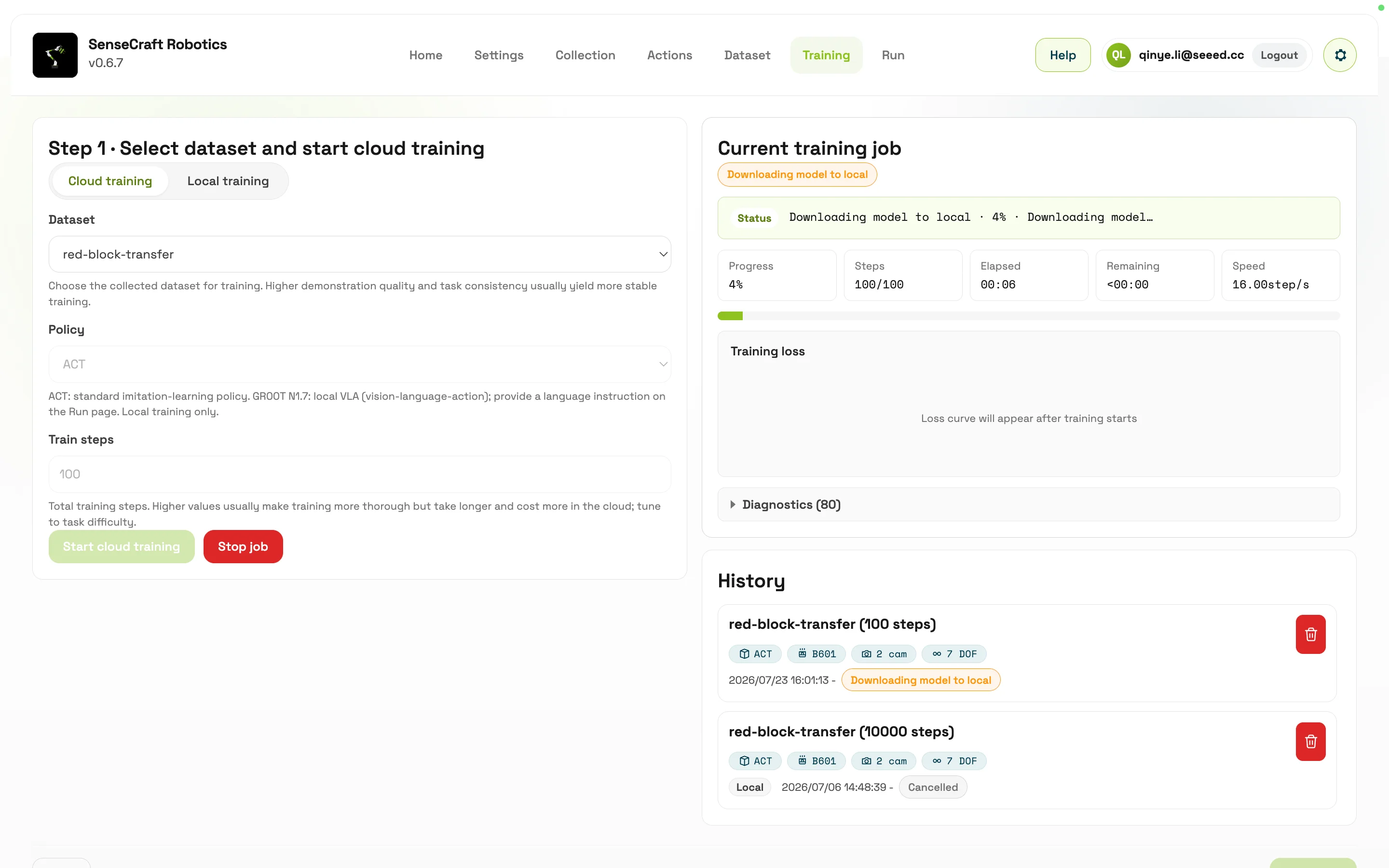
- Viewing historical tasks
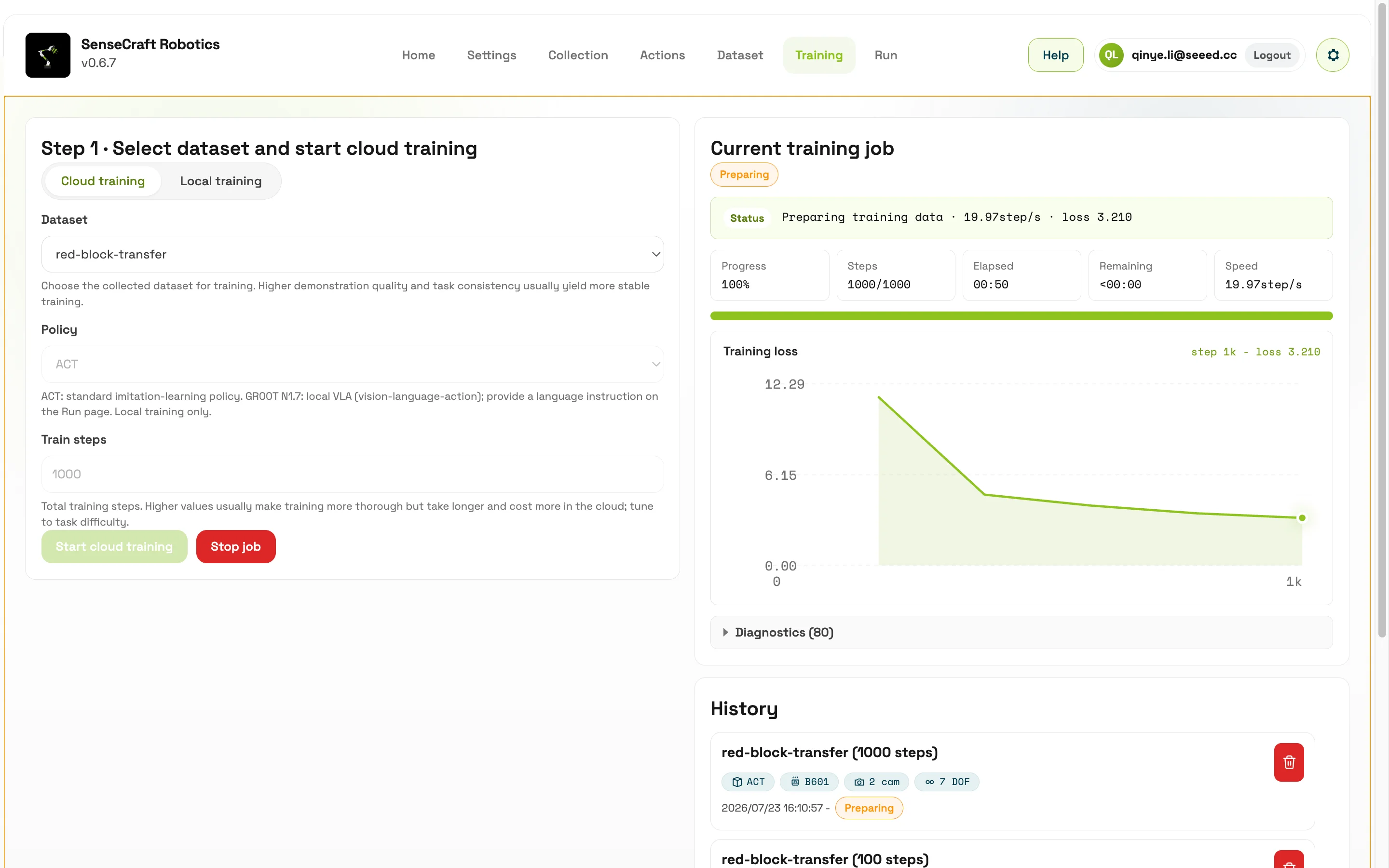
- Viewing training logs and metrics
- Stopping a task
- Downloading / pulling the model locally after successful training
After cloud training is complete, the software can pull the model to the local machine for use on the Model Run page.
Local Training
Section titled “Local Training”Local training requires the local runtime, dependency environment, and available compute resources to meet the selected policy requirements. It uses the LeRobot / Python runtime packaged with the application.
ACT local training registers a local model.
Choosing Cloud Training or Local Training
Section titled “Choosing Cloud Training or Local Training”Cloud training is suitable for classrooms, labs, and demo scenarios where users need training results quickly. It shifts compute load to the cloud, while the user mainly selects the dataset, configures the policy, submits the task, and checks logs. After training completes, pull the model locally and verify it on the Model Run page.
Local training is suitable for offline operation, algorithm environment debugging, or validation of a specific runtime environment. It has higher requirements for local dependencies, disk space, Python environment, and compute resources. When using GR00T N1.7, also confirm that the Hugging Face access token, model access authorization, runtime environment, and model cache are all ready.
How to Judge Whether Training Is Normal
Section titled “How to Judge Whether Training Is Normal”During training, pay attention to task status, logs, error messages, and metric changes. If training fails quickly, first check whether the dataset is readable, the account is logged in, the access token is valid, and dependencies are complete. If training runs normally but the result is poor, the issue is more likely related to data quality, an overly complex task definition, insufficient demonstrations, or unstable camera views.
Training success only means that the model file has been generated. It does not guarantee that the model can complete the task reliably. After training, perform a small and safe real-machine verification on the Model Run page. Observe whether the model’s actions progress toward the task objective, then decide whether to collect more data or train again.