Usage Credits
Usage Credits let you keep working on CodeCraft after you’ve used up the usage included in your plan. This page explains how Usage Credits work and how to buy them.
About Usage Credits
Section titled “About Usage Credits”Usage Credits are a top-up balance that sits alongside your plan. Your plan’s included usage is always spent first — Usage Credits are only drawn on once you hit a plan usage limit. If you never reach that limit, your balance is never touched.
Everything described below lives in Settings → Usage, in the Usage Credits section.
Turning Usage Credits on and off
Section titled “Turning Usage Credits on and off”The switch labelled “Turn on usage credits to keep using after you hit a plan usage limit” decides what happens the moment your plan usage runs out:
- On — CodeCraft carries straight on by spending Usage Credits, so you aren’t interrupted mid-project.
- Off — CodeCraft stops at your plan’s limit and waits for the next reset. Your balance is left alone.
Setting a monthly limit
Section titled “Setting a monthly limit”Monthly Usage Credits limit caps how many credits can be spent in a month. It starts at Not set, meaning no cap — click Adjust limit to choose one.
Once that month’s spending reaches the limit, CodeCraft stops drawing on Usage Credits for the rest of the month even if the switch above is on.
Your balance
Section titled “Your balance”Current balance is the number of credits you have available.
There are two ways to add credits:
- Buy them — see Purchase Usage Credits below.
- Redeem a Usage Credits code — see How to Redeem a Code.
Purchase Usage Credits
Section titled “Purchase Usage Credits”You can top up anytime from Settings → Usage in just a few steps.
1. Sign in to CodeCraft
Section titled “1. Sign in to CodeCraft”Open CodeCraft and sign in with your account to land in your workspace.

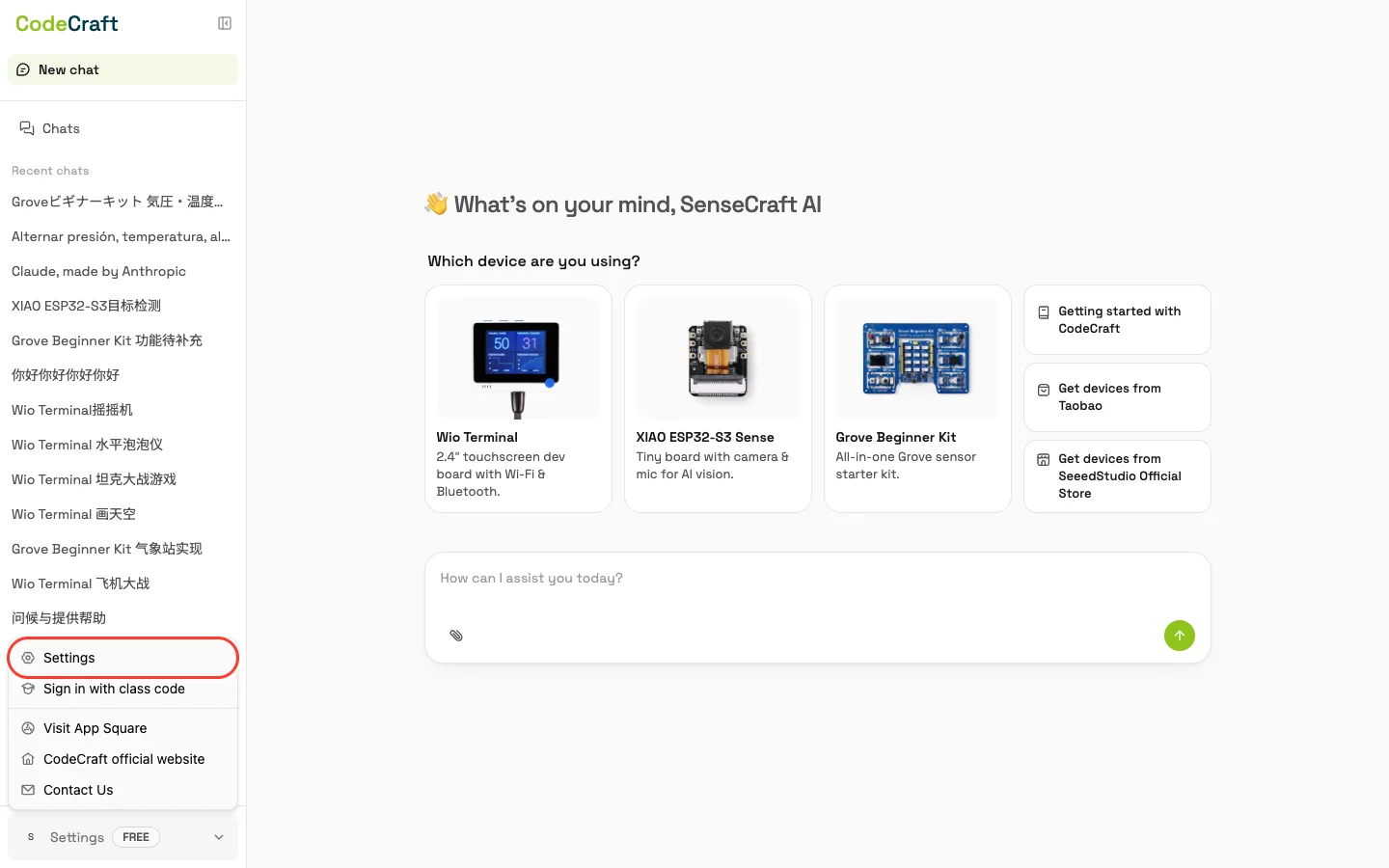
2. Open Settings
Section titled “2. Open Settings”In the bottom-left of the workspace, click your avatar and choose Settings.
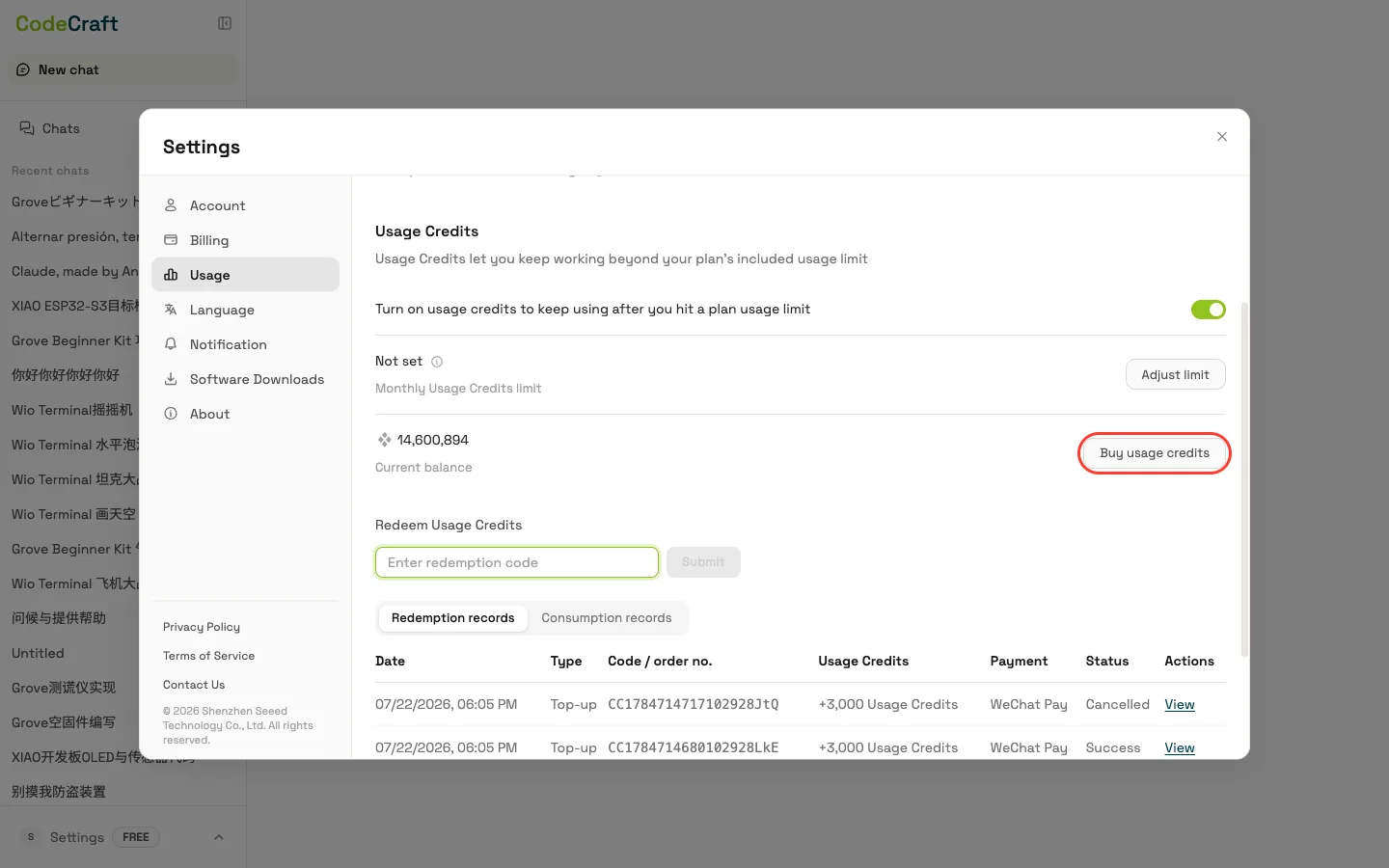
3. Open the Usage tab
Section titled “3. Open the Usage tab”In the Settings panel, open the Usage tab and click Buy usage credits in the Usage Credits section.
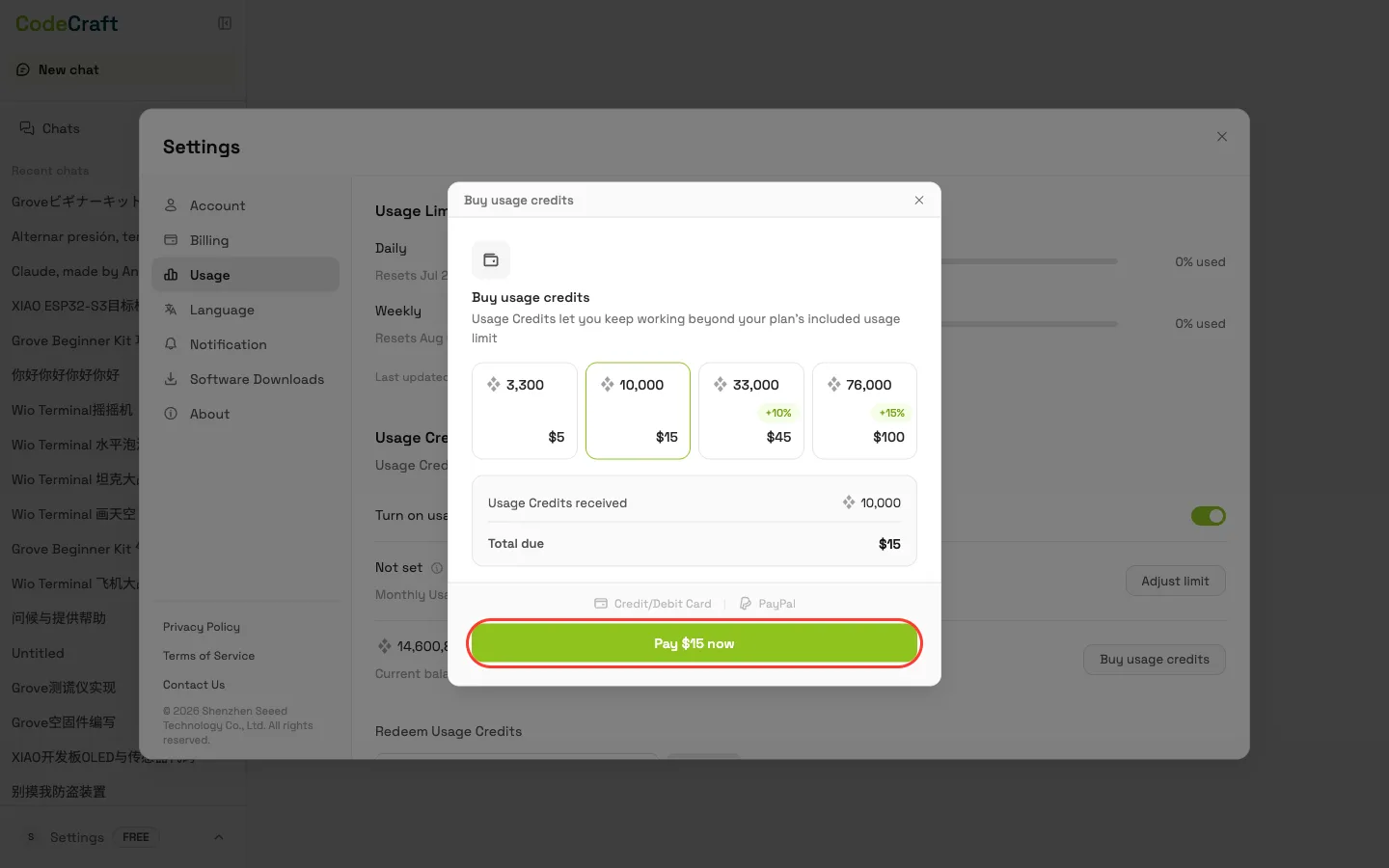
4. Choose a top-up tier
Section titled “4. Choose a top-up tier”Pick a top-up tier — the larger tiers include a bonus percentage of extra credits on top. The dialog shows exactly how many Usage Credits that tier adds to your balance and the total due before you confirm.