Usage Limits on CodeCraft
Every CodeCraft plan includes a set amount of AI usage that powers code generation, firmware compilation, and hardware prototyping. This page explains how usage limits work and shares best practices for getting the most out of your usage.
About usage limits
Section titled “About usage limits”Does my plan have usage limits?
Section titled “Does my plan have usage limits?”Yes. Every plan — Free, Pro, and Max — includes a set amount of AI usage. Paid plans include more usage than the free tier, and Max includes about 4× more usage than Pro.
- Free — a small amount of usage to try CodeCraft; firmware downloads aren’t included.
- Pro — more usage for everyday creative projects and coursework, plus firmware downloads.
- Max — 4× more usage than Pro for complex, multi-round projects, plus firmware downloads.
What affects how much I can use?
Section titled “What affects how much I can use?”How quickly you reach a limit depends on how much work each request involves — not just the number of messages. The main factors are:
- The length and complexity of your prompts.
- The length of the ongoing conversation — longer chats use more as their context grows.
- Files or images you attach.
When do limits reset?
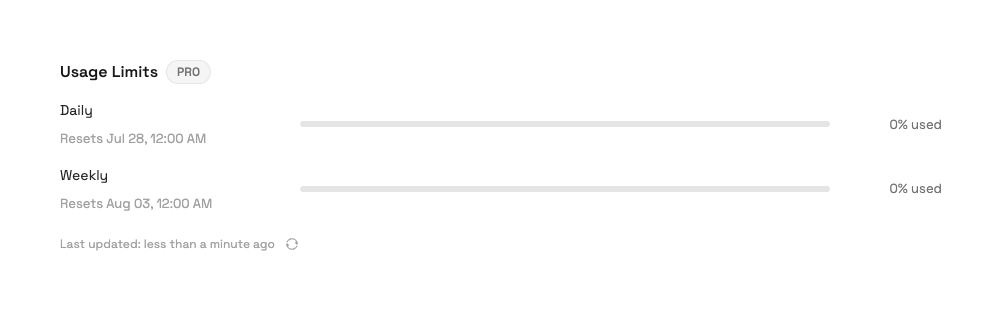
Section titled “When do limits reset?”CodeCraft applies fixed daily and weekly usage limits to keep access fair and reliable for everyone. You can see both, along with the exact time each one next resets, in Settings → Usage.
- Daily limit — resets at a fixed time each day.
- Weekly limit — resets at a fixed time each week, assigned to your account.
What happens when I reach a limit?
Section titled “What happens when I reach a limit?”When you reach your plan’s included usage, you have a few options:
- Wait for the next reset — your usage frees up at the next daily or weekly reset.
- Upgrade your plan — Pro and Max include more usage.
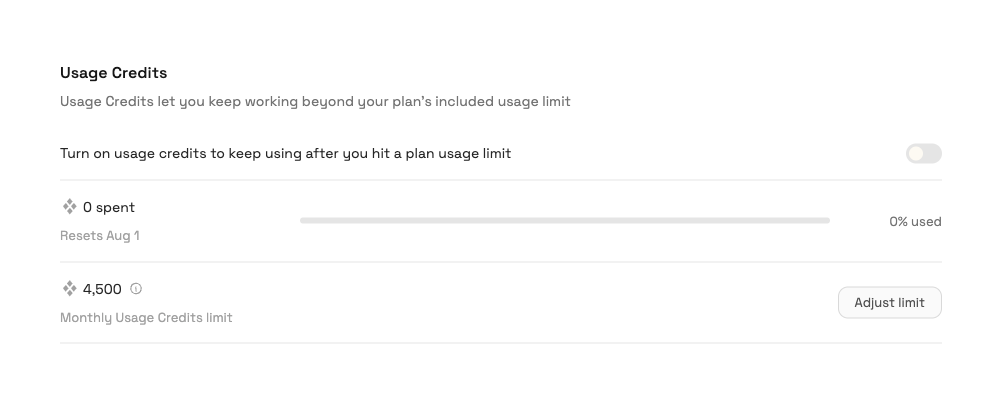
- Turn on Usage Credits — a top-up balance that lets you keep working right away. You can set a monthly limit on how much of it gets spent, to stay in control.
Checking your usage
Section titled “Checking your usage”You can see your current usage and the next reset time at any time in Settings → Usage.
Usage limit best practices
Section titled “Usage limit best practices”A little planning goes a long way. These habits help you get more done within your plan’s usage:
- Plan before you prompt — decide what you want to build and combine related questions into one clear request instead of many small ones.
- Be specific and give context — include the target board, libraries, and the behavior you expect so CodeCraft gets it right the first time and you avoid follow-ups.
- Start a new conversation for a new task — long conversations carry their full history as context, which uses more of your allowance; start fresh when you switch to an unrelated project.
- Batch related requests — group several related fixes or features into one message rather than sending many small ones.
- Review your prompt before sending — a quick check for clarity and completeness reduces back-and-forth.
- Attach only what’s needed — large or unnecessary files and images add to usage; include just the relevant code or image.
- Keep an eye on Settings → Usage — check your remaining usage and next reset so you can pace your work.