Quickly build a vehicle obstacle detection project on top of reComputer-RK / Docker / RKNN / YOLO.
You can find the source code on GitHub: https://github.com/doublelf/area-intrusion-alarm
Project Overview
This project originates from a region intrusion detection engineering effort based on RK3576 / RKNN / YOLO / RGA. In its original scene, a fixed camera surveillance feed triggers an alarm when "person / vehicle" targets enter a defined polygon. The end-to-end pipeline of "region drawing + state machine + snapshot archiving" naturally migrates to in-vehicle scenarios: redefine the polygon from "no-entry zone" to "collision risk zone / blind spot / crosswalk", and expand the trigger classes from 2 to 8 vehicle- and pedestrian-related categories. Together, this constitutes the vehicle obstacle detection capability demonstrated in this project.
Demo asset note: the file
video/1-1.mp4at the repository root is a driving-scene video; during runtime the MJPEG preview replaces the GIF above.
Quick Start
1. Clone the Project
git clone https://github.com/doublelf/area-intrusion-alarm
cd area-intrusion-alarm
2. Prepare the Class File class_config.txt
The repository root already reserves the name class_config.txt, but it is currently an empty directory placeholder (some mount points mistakenly created a directory instead of a file during sync). Replace it with a same-named file whose contents are (a COCO vehicle / pedestrian subset, 8 classes):
"person", "bicycle", "car", "motorbike", "bus", "truck", "traffic light", "stop sign"3. Build the Image
sudo docker build -t area-intrusion:local .4. Start the Container and Run Inference
sudo docker run --rm --privileged --net=host \
  -e PYTHONUNBUFFERED=1 \
  -e RKNN_LOG_LEVEL=0 \
  -v $(pwd)/class_config.txt:/app/class_config.txt \
  -v $(pwd)/video:/app/video:ro \
  --device /dev/video0:/dev/video0 \
  --device /dev/dri/renderD128:/dev/dri/renderD128 \
  -v /proc/device-tree/compatible:/proc/device-tree/compatible \
  area-intrusion:local \
  python3 web_detection.py --model_path model/yolov8n.rknn --video video/1-1.mp4 --class_path class_config.txt
Where:
-v $(pwd)/class_config.txt:/app/class_config.txtmounts the class file into the container, and combined with--class_path class_config.txtenables the 8-class vehicle / pedestrian subset;-v $(pwd)/video:/app/video:romaps the localvideo/directory to/app/videoinside the image in read-only mode;--device /dev/video0:/dev/video0and--device /dev/dri/renderD128:/dev/dri/renderD128are used for the V4L2 camera and RGA hardware acceleration respectively;- the trailing
python3 web_detection.py --model_path ... --video video/1-1.mp4 --class_path ...is the inference launch command.
CLI compatibility note: the current argument name in this repository's
web_detection.pyis--video_path(seeweb_detection.py:1206). If the runtime reportsunknown arg: --video, change--video video/1-1.mp4to--video_path video/1-1.mp4; the other arguments remain unchanged.
5. Access the Web Platform
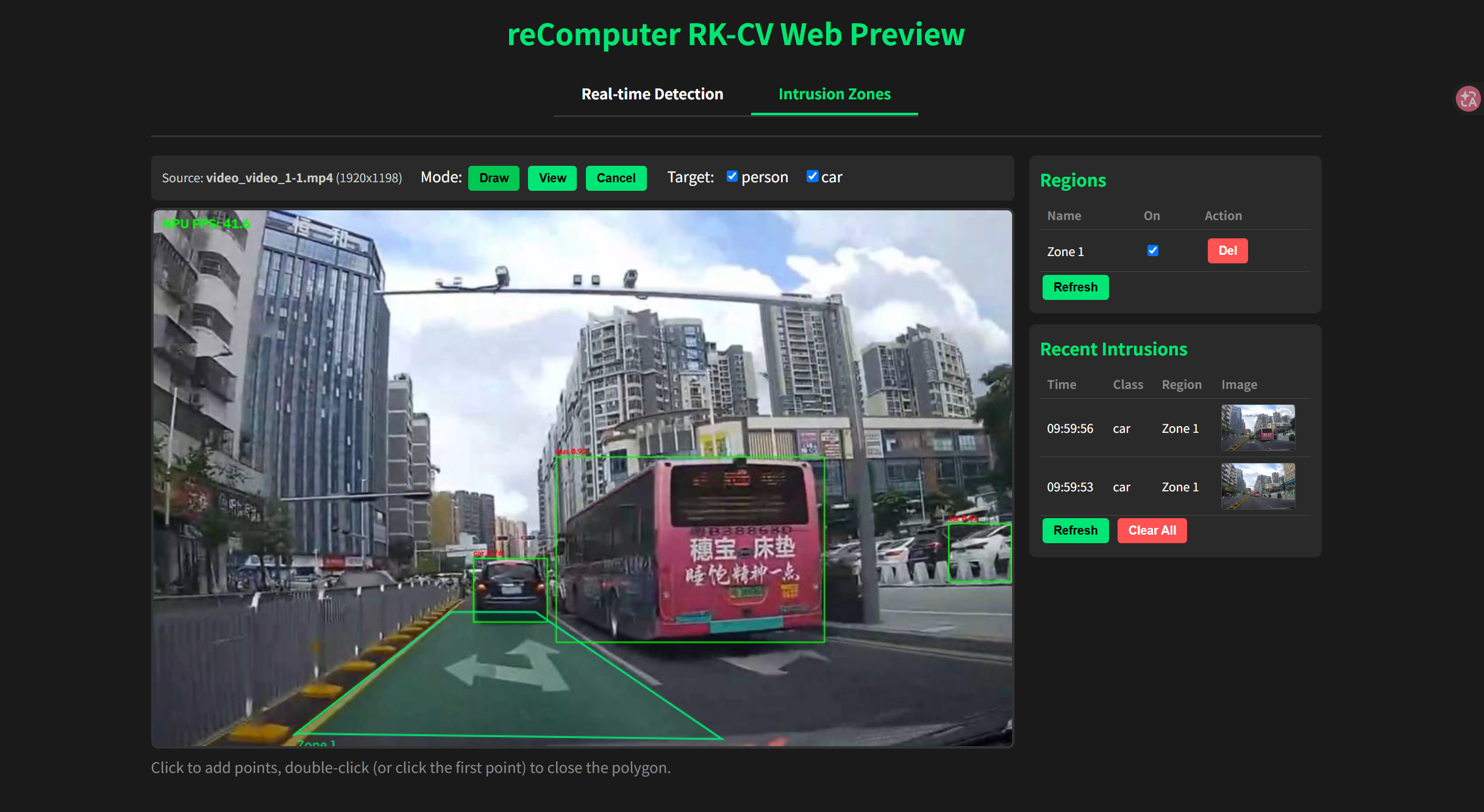
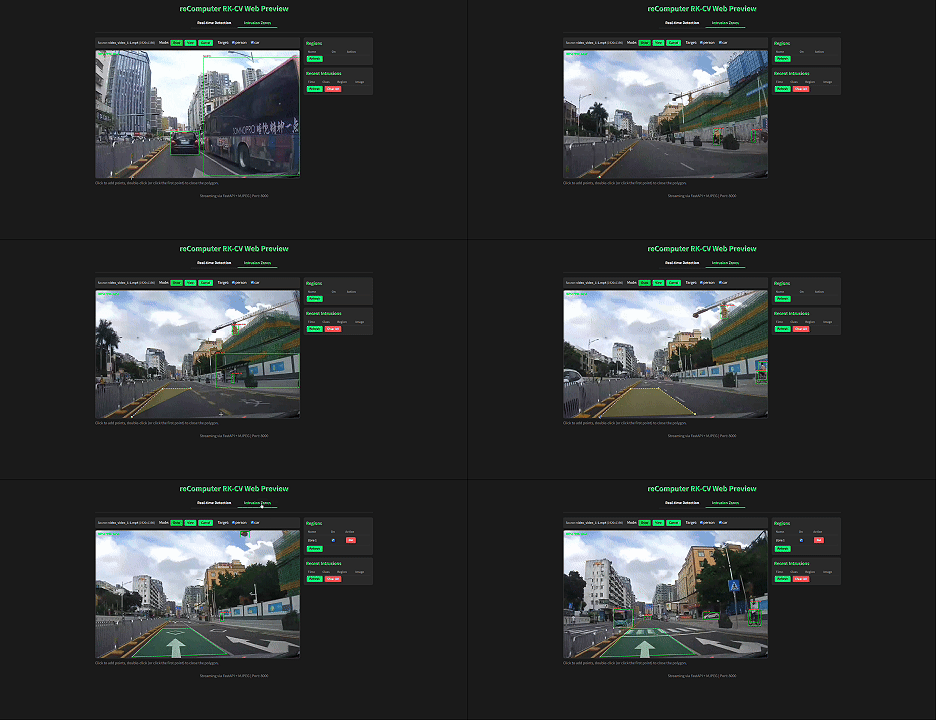
Once the project is running, open http://<board_ip>:8000/ in a browser and switch the top tab to Obstacle Zones (Intrusion Zones):
- Select the Draw mode, click 3 or more points on the frame in sequence, double-click or click the starting point again to close the polygon, enter a region name (e.g.
Front Blind Spot,Right Mirror Blind Spot,Crosswalk), and confirm to save; - In the Target checkboxes, tick the target categories to include in warnings (default: person / car; you can additionally tick truck / bus / bicycle / motorbike / traffic light / stop sign as needed);
- When the center point of any target enters an enabled region, the Recent Warnings list on the right adds a new row, including trigger time, target category, region name, and an annotated JPEG thumbnail (click to download the original image).
Secondary Development on Top of This Project
Pull the full source code from the image to the local filesystem:
sudo docker cp area-intrusion:local:/app/web_detection.py ./
sudo docker cp area-intrusion:local:/app/py_utils ./
After modification, rebuild the image:
sudo docker build -t area-intrusion:local .Then start again with the docker run command from above.
Common entry points for secondary development:
- Swap detection classes: edit
class_config.txtto add or remove classes; no code changes required; - Tune trigger sensitivity: drag the Confidence Threshold and IOU Threshold sliders in the Real-time Detection tab of the Web UI;
- Integrate custom regions: call
POST /api/regionsto write polygon vertices directly (coordinates use the source image coordinate system), suitable for connecting to a vehicle HMI host.
Real-time Inference with a Camera
Replace --video with --camera_id to use a USB / CSI camera. The command line maps one-to-one with the camera device passed to --device:
sudo docker run --rm --privileged --net=host \
  -e PYTHONUNBUFFERED=1 \
  -e RKNN_LOG_LEVEL=0 \
  -v $(pwd)/class_config.txt:/app/class_config.txt \
  --device /dev/video0:/dev/video0 \
  --device /dev/dri/renderD128:/dev/dri/renderD128 \
  -v /proc/device-tree/compatible:/proc/device-tree/compatible \
  area-intrusion:local \
  python3 web_detection.py --model_path model/yolov8n.rknn --camera_id 0 --class_path class_config.txt