This project runs Qwen3-4B locally on a reComputer RK3576 with one RK1828 accelerator. Its browser interface brings three tests together: first-turn response, needle-in-a-haystack retrieval, and multi-turn conversation memory. The model server and benchmark UI run on the board; no cloud model API is required during the tests.
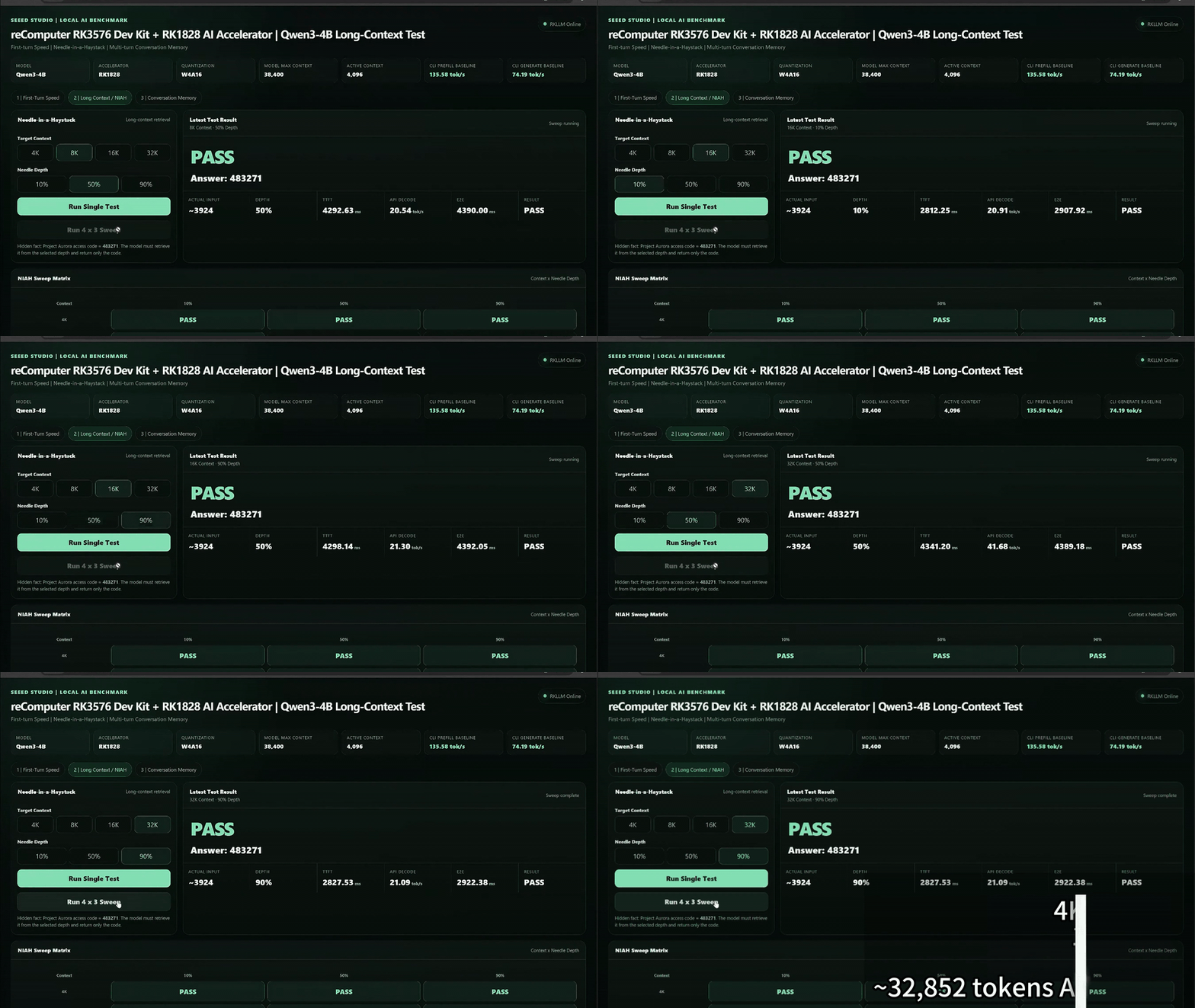
What the benchmark shows
| Test | What it checks |
|---|---|
| First-turn speed | Response timing for a new prompt with a fresh KV cache. |
| Needle-in-a-haystack | Whether the model retrieves a hidden fact from different positions in a long input. |
| Conversation memory | Whether the model recalls information after many unrelated conversation turns. |
The UI shows application-level streaming measurements. These are distinct from results reported by a command-line RKNN3 or RKLLM benchmark.
Hardware and software
- reComputer RK3576 with an RK1828 module installed and recognized by the board.
- A compatible RKNN3/RKLLM runtime with
rkllm3-serveravailable on the board. - Python 3 and
venvfor the FastAPI benchmark UI. Its dependencies are listed in the project'srequirements.txt. - A separately obtained Qwen3-4B model package for RK1828. The standalone project archive does not include model binaries.
The model launcher expects Qwen3-4B.rknn, Qwen3-4B.weight, Qwen3-4B.tokenizer.gguf, and Qwen3-4B.embed.bin in MODEL_DIR. Check that these files match the installed runtime before starting the server.
Run the project
Clone the repository and enter this project's directory:
git clone https://github.com/Seeed-Projects/Lab-Prooject-RK.git
cd Lab-Prooject-RK/projects/rk1828-4b-benchmark
chmod +x *.sh
./check_env.sh
Start the model service in the first terminal, pointing MODEL_DIR to the matching model package:
MODEL_DIR=/path/to/Qwen3-4B ./start_model_server.shKeep that terminal running. In a second terminal, from the same project directory, start the browser UI:
./start_ui.shOpen http://<RK3576-IP>:7862 from a browser on the same network. The UI connects to the local model service at http://127.0.0.1:8080 by default.
About the 32K demonstration
The cover clip is taken from a recorded RK1828 / Qwen3-4B long-context test. The repository's startup scripts default to a 4,096-token active context; that default is not the 32K configuration shown in the clip. To test a larger context, use a model built for that capacity and set CTX_SIZE for the server and SERVER_CONTEXT for the UI to the same supported value. The model filename expected by start_model_server.sh must also match the model package you supply.
Do not treat the clip's timing or retrieval outcome as a guaranteed result on another board or model build. The displayed rates depend on the model, runtime, context length, and input.
Source and limitations
The model files and compatible board runtime must be prepared separately. The Web UI is intended for a trusted local network; review its access controls before exposing it beyond that network.