Run Qwen3-1.7B locally on a reComputer RK3576 with an RK1820 accelerator. The browser UI brings three tests together: first-turn response, needle-in-a-haystack retrieval, and multi-turn conversation memory. The model service and UI run on the board.
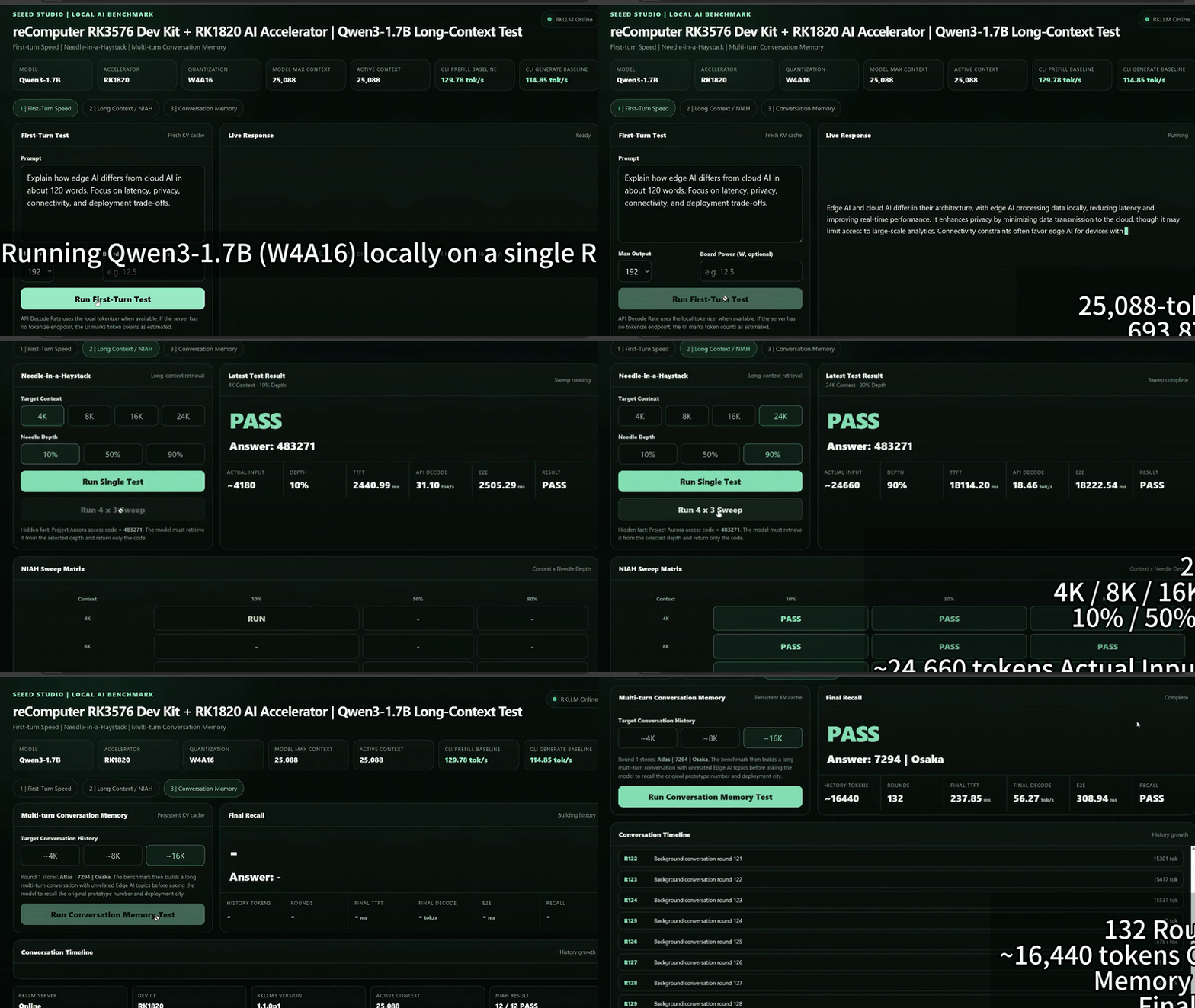
What the demo shows
| Test | What it checks |
|---|---|
| First-turn response | How a new prompt responds with a fresh KV cache. |
| Needle-in-a-haystack | Whether the model retrieves information hidden in a long input. |
| Conversation memory | Whether the model recalls earlier information after many turns. |
The recorded demo shows a Qwen3-1.7B W4A16 model with a 25,088-token model context. Its displayed token rates are measurements through the local streaming API, not rknn3_session_test results or guaranteed performance on another setup.
Requirements
- reComputer RK3576 with an installed and recognized RK1820 accelerator.
- A compatible board-side runtime with
rkllm3-serveravailable. - Python 3 and
venvfor the FastAPI UI. Python dependencies are listed in the project'srequirements.txt;start_ui.shinstalls them with pip. - A separately prepared Qwen3-1.7B model package for RK1820. The startup script expects
Qwen3-1.7B-25088.rknn,Qwen3-1.7B.weight,Qwen3-1.7B.tokenizer.gguf, andQwen3-1.7B.embed.bininMODEL_DIR.
Run the project
Clone the repository and enter the project directory:
git clone https://github.com/Seeed-Projects/Lab-Prooject-RK.git
cd Lab-Prooject-RK/projects/rk1820-1p5b-benchmark
chmod +x *.sh
./check_env.sh
The upstream directory name still contains 1p5b, but this project's README, configuration, and launcher use Qwen3-1.7B. In the first terminal, point MODEL_DIR to your matching model package and start the model service:
MODEL_DIR=/path/to/Firefly-Qwen3-1.7B-RK1820 ./start_model_server.shLeave it running. In a second terminal, from the same directory, start the UI:
./start_ui.shOpen http://<RK3576-IP>:7863 on the same network. The UI connects to http://127.0.0.1:8080 on the board by default. The scripts default to a 25,088-token context; use a matching model package and keep the server's CTX_SIZE and UI's SERVER_CONTEXT consistent if you change it.
Source and notes
The model files and compatible board runtime must be prepared separately. The UI is intended for a trusted local network; review access controls before exposing it beyond that network.