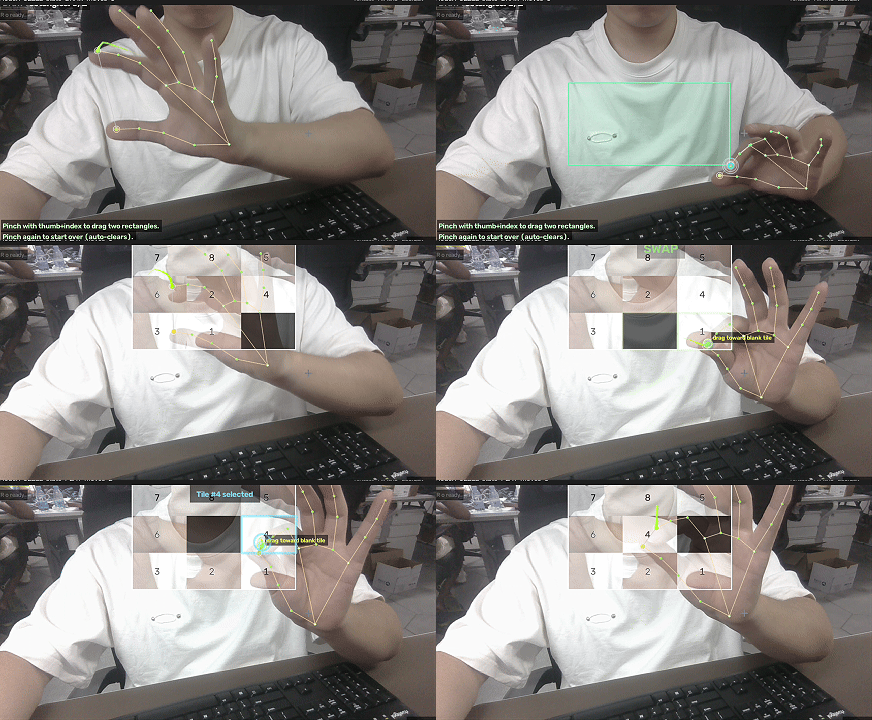
A one-hand pinch puzzle game built on top of reComputer-RK / Docker / RKNN / YOLO
Project Overview
This project is a 217-line pure-puzzle application: gesture.py detects pinches → drawing.RectDrawer collects two rectangles → puzzle_game.PuzzleGame scrambles them into a 3×3 grid → the same state machine drives puzzle manipulation via pinch-and-drag.
Quick Start
1. Clone and Enter the Project Directory
git clone https://github.com/doublelf/puzzle_game
cd puzzle_game
2. Install Dependencies
pip install -r requirements.txtrequirements.txt pins four dependencies:
opencv-python>=4.8.0
mediapipe>=0.10.14
numpy>=1.26.0
Pillow>=10.4.0
3. Launch the Game
python main.py                  # Default camera 0, horizontal mirror enabled
python main.py --cam 1          # Use the 2nd camera
python main.py --no-flip        # Disable horizontal mirror
python main.py --no-landmarks   # Disable the landmark overlay (enabled by default)
python main.py --hide-trails    # Disable the gesture trail (enabled by default)
After launch you will first see the Pinch-Puzzle menu screen. Press any key to enter the game.
4. Operation Guide
| Phase | Player Action | Program Feedback |
|---|---|---|
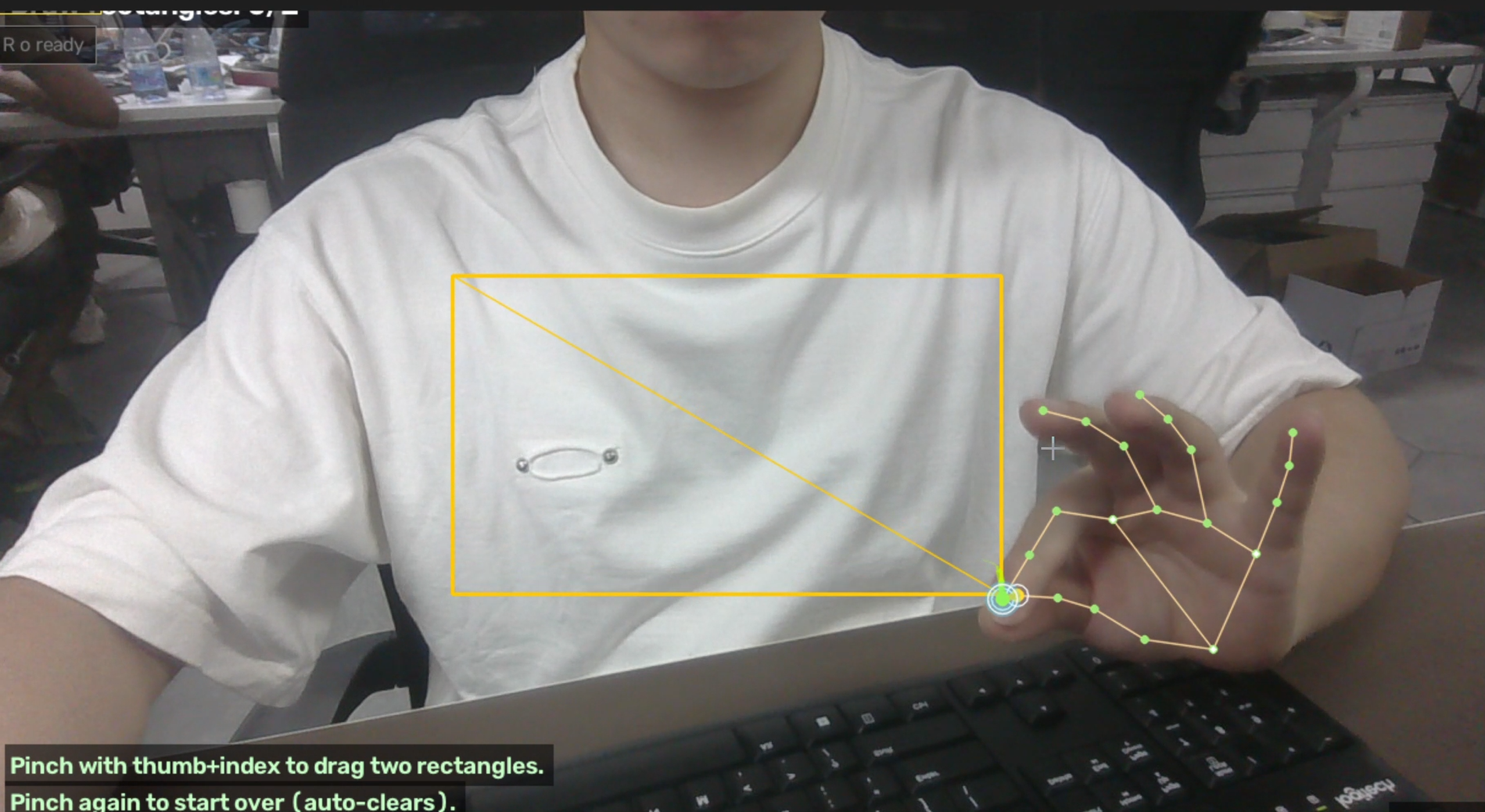
| DRAW | Pinch thumb + index finger, drag, then release to draw the first rectangle | Rectangle filled with semi-transparent green; top-left shows Draw rectangles: 1/2 |
| DRAW | Repeat once to draw the second rectangle | 2/2 → READY - generating puzzle..., auto-enters PLAY |
| PLAY | Pinch to snap to the nearest puzzle tile (gold pulsing border) | Toast Tile #N selected + drag toward blank tile hint |
| PLAY | Drag the index fingertip near an adjacent blank cell | Both tiles flash green simultaneously + Toast SWAP!, moves increments |
| PLAY | All 9 tiles return to place | 80 rainbow particles burst in the center + large Toast SOLVED! |
| Always | R resets the current puzzle | Returns to DRAW phase, rectangles cleared |
| Always | M returns to the menu | Camera keeps capturing, only the game loop is closed |
| Always | ESC quits | Releases the camera, shuts down MediaPipe, destroys the window |
Running Without a Camera
The recomputer-rk3576-devkit ships without a USB camera plugged in by default; this project ships three utilities to guarantee an end-to-end run without a camera:
tools/verify_all.py — 8-step Verification Suite
cd /home/seeed/hand/puzzle_game
python3 -m tools.verify_all
Prints each step:
- Module imports (
gesture/drawing/puzzle_game/overlay/utils) utilsgeometry + text functionsRectDrawer.update(None)does not throwshuffle_solvableproduces a legal board- Real MediaPipe Hand Landmarker loads the model on aarch64 (XNNPACK delegate, ~110 ms warm-up)
HandOverlay.add_event+ render- Synthetic pipeline completes 60 frames without error
tools/run_synthetic.py — Offline Render to PNG
python3 -m tools.run_synthetic --frames 180 --out /tmp/puzzle_demo
ls /tmp/puzzle_demo | wc -l      # → 180
Drives the full PuzzleGame + HandOverlay, writing every frame to out/puzzle_XXXX.png. In a no-camera scenario, browse frame by frame with feh / eog / an image viewer, or stitch them into an mp4 with ffmpeg:
ffmpeg -framerate 30 -i /tmp/puzzle_demo/puzzle_%04d.png -c:v libx264 -pix_fmt yuv420p puzzle.mp4tools/synthetic_source.py + tools/fake_tracker.py
A synthetic video source and a synthetic HandTracker exposed with an interface fully equivalent to cv2.VideoCapture / gesture.HandTracker; if you later want to plug in a real camera, just replace these two lines with:
cap = cv2.VideoCapture(args.cam)               # Replace SyntheticHandSource
tracker = HandTracker(num_hands=2)              # Replace SyntheticHandTracker
…and tools/run_synthetic.py upgrades into a real-camera-driven script.